Whenever you’re working in UX (User Experience) design, you have to understand user expectations if you’re going to be able to group information effectively. Card sorting is a handy and relatively simple way to engage participants so they categorize topics in a way they find logical. This approach helps you uncover user preferences for content arrangement to help create a coherent and user-friendly structure for websites or apps.
You’ve likely come across the concept of card sorting (whether or not you’re in UX). It's a popular, low-tech research technique used to organize complex datasets into intuitive information architecture, menu structures, and navigation workflows. Running a card sort may seem simple, but there is an art to doing it effectively. To get the best results, you need to master the nuance, so let's take a look at the essential do’s and don’ts.
What Is Card Sorting in UX Research?
When you perform a card sort, you involve users in organizing information by having them group labeled cards based on their understanding of the content. Card sorting reveals how users expect to find information on a website. The insights you gain are potentially powerful tools for creating intuitive, user-friendly structures that align with users' mental models to ensure seamless and efficient navigation.
Here’s an example of how a card sorting session might work. Imagine you're the researcher for a grocery store brand creating a new website. You want to see how customers approach the store and what categories they would use for various items. You give the participants cards with items like “Dairy,” “Bread,” “Fruits,” “Toothpaste,” “Deodorant,” “Eggs,” “Insect Repellent,” and “Garbage Bags.” The users then put these into categories. For instance, they might place “Dairy” and “Bread” under “Daily Essentials,” “Toothpaste” and “Deodorant” under “Toiletries,” and “Garbage Bags” and “Insect Repellent” under “Sundries.” However, some participants might consider toothpaste a daily essential. Even though they don't need to buy a new tube every day, they might still categorize it that way based on their daily routine.
Welcome to the “magic” of card sorting, where logic can be subjective! In the example above, you would be able to harvest these insights to organize the website's menu and categories in the way that works best for your users. This process makes it easy for shoppers to find exactly what they need based on their own expectations.
Watch as Design Consultant Donna Spencer provides an excellent example of a card sort in her IxDF Master Class, “How To Use Card Sorting For Better Information Architecture.”
Show
Hide
video transcript
- Transcript loading…
Why Do We Use Card Sorting?
Card sorting helps you understand how people think about ideas and concepts rather than just physical items. Once you have a clear understanding of how users perceive a digital design, you can arrange content in a way that makes sense to them as you organize a website's structure or navigation. A card sort reveals how a person’s background and personal experience affect their expectations and the way they envision information. This provides a helpful vantage point to accommodate their worldview and fine-tune your interface design to match their natural way of grouping things.
Card sorting helps you figure out:
Categorization: What items belong together and the logic behind those groupings.
Organizational Patterns: Different ideas and methods for organizing content.
User Consensus: Whether people think similarly or differently about specific concepts or items.
While people use card sorting more often to create IAs, website navigation, and menu structures, the strength of card sorting is how it translates across the board, and you can also use it for internal communication and politics.
In this clip, Donna Spencer explains one of the less obvious uses of card sorting and what it can tell us.
Show
Hide
video transcript
- Transcript loading…
You'll find card sorting effective for enhancing your information architecture, but you should not expect it to create the IA for you. Because card sorting is qualitative and exploratory, it often yields inconsistent results that make it unreliable for building an architecture from scratch. Similarly, it can't tell you whether your IA actually works. Even though the card sort informs your design, you won't know if the final structure is effective until you test it. Donna Spencer suggests using a tree test for that purpose instead.
What’s more, card sorting isn’t suitable when you’re after the following:
Definitive, black and white answers.
Quantitative, statistically valid data.
Advantages and Disadvantages of Card Sorting
Advantages of Card Sorting
Simplicity: Very few techniques are as easy as handing someone a deck of cards and then asking them to sort them. It’s direct and basic.
Cost-effectiveness: You only need plain cards and either printer ink or pen ink. You may also use sticky notes or some tape.
Speed: You can run this exercise quickly and repeat it as many times as necessary until you get the data you need.
User-centric: Card sorting focuses on user input, which is crucial for product success. Since it values user perspectives over assumptions, it can save many design headaches later.
Familiarity: This technique has been around for a long time. People, including your users, understand it easily and don't need much explanation on how to perform it.
Insightful: While it is not the most in-depth approach, card sorting provides valuable insights regarding how users categorize information. You can leverage these insights effectively to improve your design.
Disadvantages of Card Sorting
Task ignorance: Card sorting doesn't always consider the practical application of the insights it generates. It pays to be cautious about how you translate those results into your product because the data doesn't always dictate a clear design path.
Inconsistency: Results can vary significantly due to individual differences in perception and categorization. These quirks and idiosyncrasies in how people see the world can lead to data that's difficult to generalize.
Time-consuming analysis: While a card sort is quick to perform, analyzing the results is another matter. It can lead to long processing times, especially when you're dealing with complex or large data sets.
Surface-level insights: Some fundamental issues or contextual nuances may be beyond the scope of this technique. The top-level view a card sort provides often hides more intricate matters that may require deeper research to uncover.
Types of Card Sorting
© Interaction Design Foundation, CC BY-SA 4.0
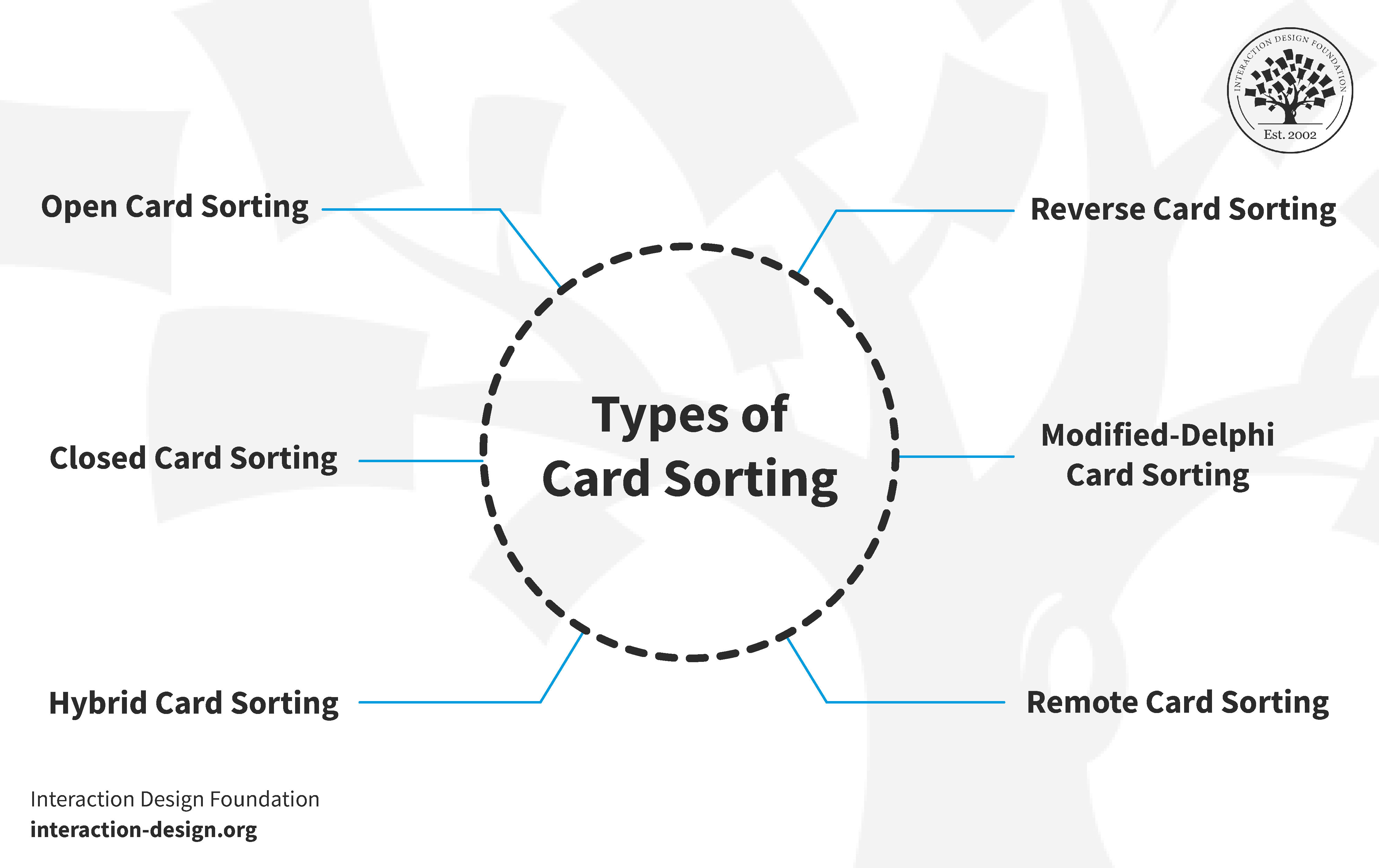
Card sorting is a versatile UX research technique with different types to suit various needs. Each type offers unique insights into how users organize information. Let’s explore these card sorting methods in detail and look at some examples of when to use them.
1. Open Card Sorting
In an open card sort, participants organize cards into categories that they create themselves. This is an excellent approach if you want to understand how users naturally group information without your own preconceived categories guiding their decisions or influencing how they see the content.
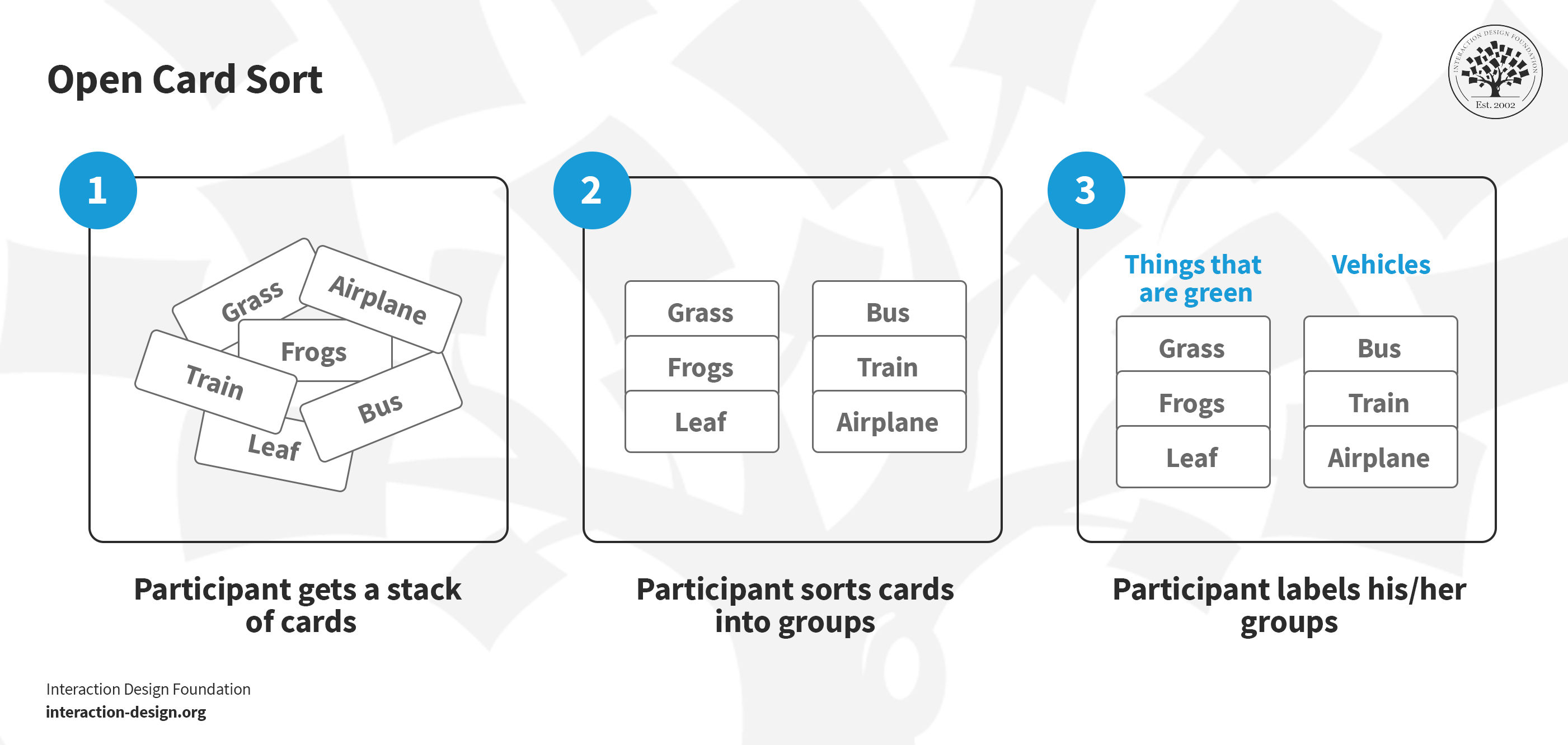
Say you get a stack of cards and you sort cards into groups and label these groups; that’s an open card sort.
© Interaction Design Foundation, CC BY-SA 4.0
2. Closed Card Sorting
In closed card sorting, participants sort cards into categories that you have already defined. This method is particularly useful when you want to test specific groupings or if you already have a basic structure in place that needs validation.
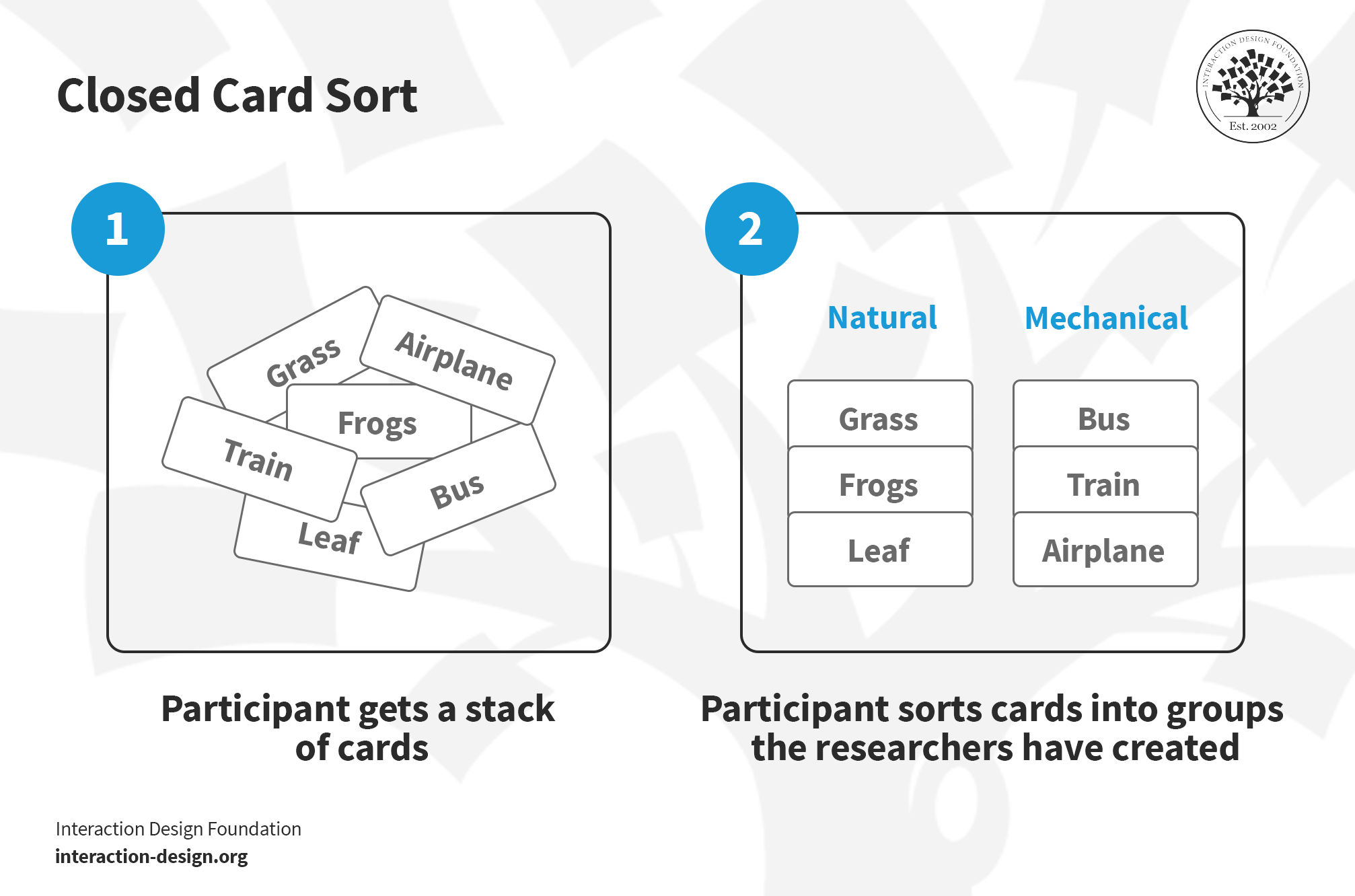
You get a stack of cards, and you’ve got to sort them based on groups the researchers have created—that’s a closed card sort.
© Interaction Design Foundation, CC BY-SA 4.0
3. Hybrid Card Sorting
Hybrid card sorting is a blend of open and closed card sorting. Participants sort cards into provided categories but can also create new ones of their own. This approach offers a great deal of flexibility for the participants and provides deeper insights into user preferences for you.
Example: Imagine you're building a website for a travel operator that manages tourist resorts. You're conducting a card sort where users sort destinations and activities into predefined categories such as "Beaches," "Mountains," and "Cities". Because this is a hybrid sort, users aren't restricted to your categories. They can create entirely new ones like “Adventure Travel,” “Historic Trails,” or “Family-friendly.” From this, you'll be able to gather much more nuanced insights into how they categorize their travel experiences.
4. Reverse Card Sorting
Reverse card sorting, also known as tree testing, is a process where users work backward within an existing framework. Instead of sorting cards into groups, participants deduce where a specific card should go inside a pre-defined structure. This is an excellent way to test how intuitive a site’s navigation is. At the end of a session, you can evaluate the results by comparing how many users placed the item in the "right" category.
Example: Imagine a website dedicated to cookery, featuring recipes, products, and services. You give a specific recipe card, such as “Vegetarian Lasagna,” to users and ask them to find where it fits within a pre-made set of categories. By observing where they look, you can test if the organization of the site truly makes sense to each user.
5. Modified-Delphi Card Sorting
Modified-Delphi card sorting is a method that evolves with each participant. It begins with the first participant conducting a complete card sort to organize items in a way that makes sense to them. This forms the baseline model. Subsequent participants then refine this model by building on the previous person's work until the process is complete.
Example: Let's picture a team designing a health app that includes features like “Exercise Tracking,” “Diet Plans,” and “Mental Wellness.” The first participant creates an initial structure for these features. The next participant reviews that structure and makes adjustments based on their own logic. This continues through several rounds, allowing the team to reach a consensus on the most intuitive layout for the app.
6. Remote Card Sorting
Remote card sorting allows participants to sort cards through online tools. It is a convenient way to reach a broader and more diverse audience.
Example: An e-commerce brand might use an online tool to have users sort product categories such as "Electronics," "Home Goods," and "Fashion." Participants complete the task on their own computers instead of having to attend a formal in-person session.
Tree Testing vs. Card Sorting: Which One Should You Choose?
First off, here’s a quick overview of both techniques:
In tree testing, users navigate through a simplified text version of a site's structure to find specific items. This technique reveals how easily they can locate information within a set framework.
Card sorting helps you understand how users categorize information. In a card sort, participants organize topics or items into groups that make sense to them.
To learn more about getting started with this method, watch this video where William Hudson, UX Designer and Author, discusses tree testing in detail. His insights will help you understand how to apply this technique to your own research projects.
Show
Hide
video transcript
- Transcript loading…
Choosing between these methods depends on your project's stage and your specific goals. If your current information architecture seems to be causing problems, start with tree testing to assess its effectiveness. This process shows you exactly where users struggle to find information and provides a clear picture of the areas that need improvement.
After you have identified the issues with your current structure through tree testing, use card sorting to understand how users believe the content should be organized. An open card sort allows you to capture natural categorizations and terminologies. This is a crucial ingredient for creating an intuitive and user-friendly architecture.
Finally, perform another tree test after you have reworked your structure based on the card sorting insights. This allows you to compare the new architecture against the old one using similar tasks. This comparison highlights the effectiveness of your changes and ensures your updated design aligns with user expectations and behaviors.
What Tools Do You Need for Card Sorting?
Card sorting doesn't need fancy tools. You can use basic office supplies like index cards and markers to get the job done. With that said, there are several digital tools that can enhance your research process. Below, we highlight six online tools that can help you streamline your card sorting workflow.
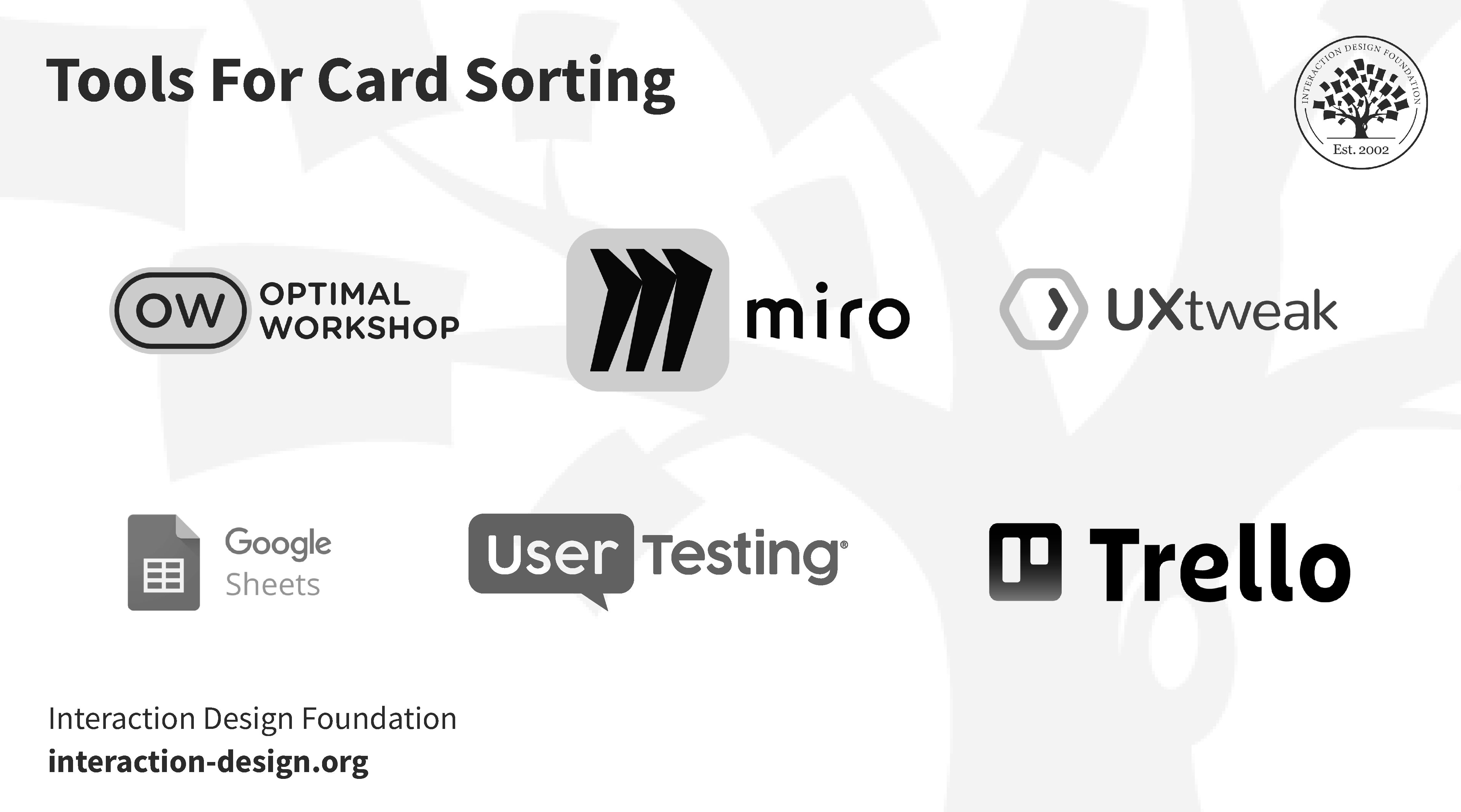
© Interaction Design Foundation, CC BY-SA 4.0
Considerations for Choosing a Card Sorting Tool
You should consider several factors when picking the right card sorting tool for your project. Here are four important ones to keep in mind.
Study size: Tools vary in their capacity to handle different volumes of data. For larger studies, choose tools that offer robust data handling and automated reporting capabilities.
Study format: Decide if your study will be remote or in-person. Tools for remote sorting provide features like online collaboration and automated tracking, while in-person tools often focus on physical interaction or manual data entry.
Analysis needs: Some tools come equipped with advanced analytics such as similarity matrices and dendrograms. These are ideal for detailed data interpretation. Determine how deeply you need to analyze the results before selecting a platform.
Budget constraints: Be sure to balance your need for specific features with your available budget, as costs can range from free open-source tools to high-end enterprise subscriptions.
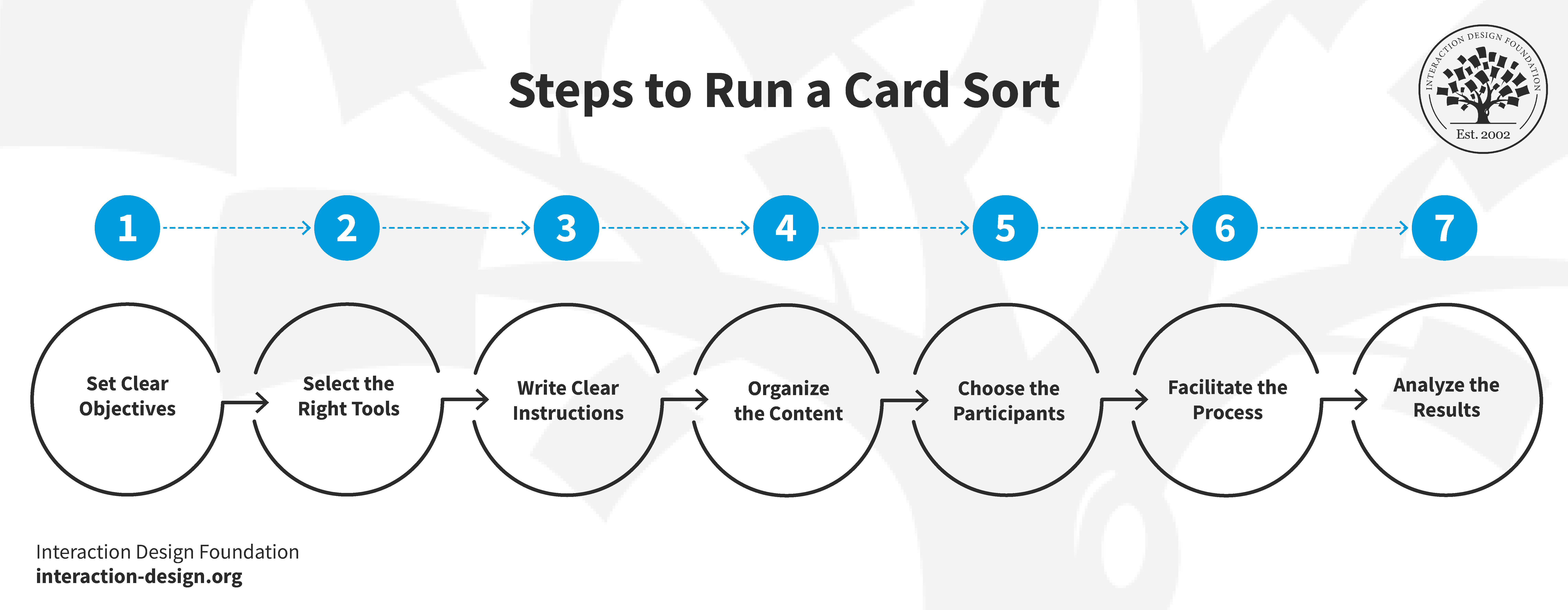
How to Run a Card Sort?
© Interaction Design Foundation, CC BY-SA 4.0
1. Set Clear Objectives
Just like any other research methodology, you must work out exactly what you want to learn. Once you have established your goals, consider whether card sorting is actually the best way to achieve them. If your goal is to understand how users categorize information, then card sorting is likely the right choice.
2. Select the Right Tools
You'll need some cards for your session. Plain index cards or sticky notes work well for an in-person card sort. You can use anywhere from a handful to about 100 cards depending on the project. However, try to limit the number to 50 if you're conducting a virtual card sort, as digital sessions can be more taxing for participants.

Index cards or Post-it notes work well for card sorting.
© UX Indonesia, Unsplash License
You can find several card sorting tools online such as OptimalSort, but general applications like Trello, Miro, or GitHub can also work well. Using a digital tool offers a significant benefit by making your results immediately available for analysis on your computer. As a helpful extra, you'll be spared the tedious task of manually transferring results from physical cards to a spreadsheet.
3. Write Clear Instructions for Effective Participation
You must prepare your instructions before the card sort begins, regardless of whether it is physical or digital. These instructions need to be clear so your participants know exactly what to do.
Think about the questions people may ask and provide the answers in advance. If you're conducting your card sort online, include these answers in your written instructions to pre-empt any confusion. For an in-person session, have your answers ready to go.
Participants often ask questions such as:
“This card fits with more than one group. Can I put it in multiple places?”
“I don’t understand this card. Can I exclude it?”
“There seems to be some content missing. Can I add a card?”
Another important factor to consider before you start is your analysis. You need to think about the optimal results you want to achieve. For instance, you may wish to have only five people in your sample or as many as twenty-five. If you conduct an in-person card sort, it is important to figure out how to get your data from the physical world into a digital format.
4. Organize the Content
Your content is one of the most critical parts of card sorting. In many ways, it is the most important factor because your results depend entirely on the items you provide to your participants. This is why you must evaluate your content carefully before the session begins to ensure every card is clear and necessary.
Donna Spencer describes some of the elements and their significance of your card sorting content:
Show
Hide
video transcript
- Transcript loading…
If you have an extensive content set, it may be wise to split the items into several different card sorts to ensure you get the desired results. This prevents participant fatigue and keeps the data focused.
Steer clear of jargon. If people can't understand your content, they won't be able to group the cards effectively. This can distort your results because people tend to force associations and make connections that aren't actually there when they don't fully understand the information. Using clear and direct content is one of the most important factors for achieving the best possible outcome.
5. Choose the Participants
The people you select for your card sort are vital to the success of your study. In the video below, Donna Spencer explains the key factors you need to consider when recruiting your participants.
Show
Hide
video transcript
- Transcript loading…
You might wonder about the ideal number of participants for your project. Due to space and time constraints, in-person card sorts are often easier to manage with smaller, focused groups. For an online card sort, it is best to send the exercise to a small pilot group first. This allows you to revise and adapt the study based on early feedback. You can always reach out to a larger audience once you're confident the sort is working correctly.
6. Facilitate the Process
It's best to start with an introduction to give your participants context before going through the instructions. In a physical card sort, you can speak directly to your participants. However, if you conduct the session remotely via Zoom or an online tool, you'll need to provide written instructions for most virtual formats.
Don't over-explain or provide too much help. Some participants may look to you for guidance during the session. While you can repeat the instructions, avoid going into further detail. You'll get better results if participants carry on without extra assistance.
It's often better not to tell participants upfront that they'll label the groups they create. While online tools may require this step, informing participants too early in an in-person session can influence their choices. If they focus too much on the labels, they may prioritize the categories over the content itself, which limits the fluidity of the process.
Take notes during the card sorting process and listen to what your participants say. Try not to hover, as this can interfere with the organic conversation between participants.
Offer incentives to encourage participation. These are remarkably effective and are especially valuable in virtual settings where people may feel less committed to finishing. Think about what might motivate your audience, such as a small gift, a discount voucher, or a chance to win a larger prize.
7. Analyze the Results
Analysis tends to be easier with an online card sort because the tool inputs results directly into your computer. For an in-person card sort, you can use numbers and a spreadsheet to simplify the process. Assign a number to each card and record it in your spreadsheet alongside the card’s content. Once the session is over, all you have to do is input the numbers corresponding to the groups created by the users.
First, you want to get an overview of the patterns emerging from your data. In the following video, Donna Spencer shares how to effectively manage this initial review:
Show
Hide
video transcript
- Transcript loading…
Next, go into more depth by comparing participants in detail to identify the similarities and differences in their results. Look at the insights you can pull from these variations. For an information architecture project, you might ask if all participants created an “About Us” section. If they did, then check which specific cards they placed into that group. Sometimes, people will create identical group names but populate them with different cards. You should also examine specific cards to see where each individual chose to place them.
Remember that card sorting is primarily a qualitative research exercise. Your goal is to gain insights and discover what stands out as interesting or unexpected in your results. Always review your original user research objectives to ensure you're finding the answers you initially set out to learn.
You can learn more about the differences between quantitative and qualitative user research in this video:
Show
Hide
video transcript
- Transcript loading…
Last, but not least, apply your findings to your project. It’s best to combine them with other research methods.
Card Sorting Tips and Best Practices
© Interaction Design Foundation, CC BY-SA 4.0
Card sorting serves as a powerful tool in user experience, but success hinges on the quality of execution. This method is a vital step in designing intuitive interfaces.
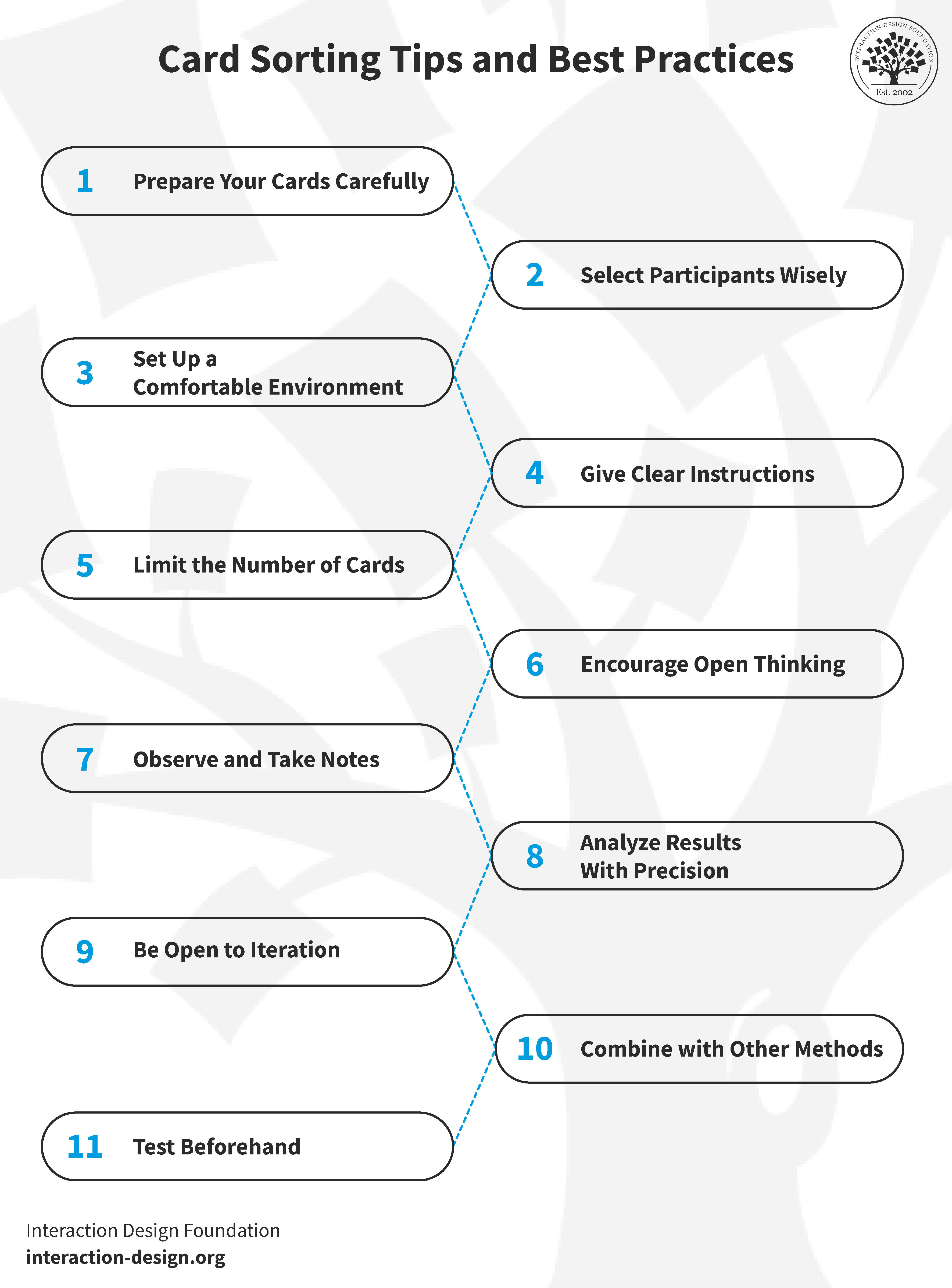
To fully capitalize on the benefits of card sorting, certain best practices should be followed. These guidelines help in conducting productive sessions that yield actionable results:
Use relevant and straightforward cards: Jargon and complex terms should be avoided. The clarity of the cards directly impacts the quality of the results.
Select a diverse group of participants: Choose individuals who represent the target audience. Diversity provides varied perspectives that strengthen the final architecture.
Provide a user-friendly environment: Whether online or in-person, the environment should be comfortable and free from distractions. For online sorts, the selected tool should be easy to navigate.
Give concise, understandable instructions: Clarifying ambiguities is essential. Good instructions lead to more accurate sorting and more reliable data.
Maintain a balanced card count: Too many cards can overwhelm participants. A set of 40–50 cards is typically comprehensive yet manageable.
Encourage free thinking in open sorts: Openness leads to innovative categorizations and unexpected insights into how users naturally perceive content.
Observe and take notes: Monitoring how participants interact with the cards and listening to their comments provides qualitative context that's often as valuable as the sort itself.
Analyze the results thoroughly post-sort: Success depends on spending time identifying patterns, outliers, and surprising groupings. This detailed analysis is where the real value of card sorting lies.
Iterate for better results: Running multiple sessions can refine the understanding of the content and lead to more robust conclusions.
Use a multi-method approach: Combining card sorting with other research methods, such as surveys or user interviews, provides a more comprehensive view of user needs.
Pilot the method: Testing the process before the official session ensures the study is effective and allows for adjustments to be made to gain meaningful insights.
The Take Away
Card sorting is a valuable method for revealing how users perceive and categorize concepts. By uncovering these patterns, designers can organize websites and applications to match user mental models more effectively. Several key factors require careful consideration during the process, including the approach (in-person or remote), objectives, tools, content, and the number of participants. While the process is generally straightforward, each element must be managed with care to ensure the data is reliable.
Although card sorting offers significant insights, results may not always be immediately clear. Despite this potential for ambiguity, the technique remains a preferred choice due to its low cost, simplicity, and minimal investment of effort. When used carefully, this method provides essential guidance for the successful design and functionality of a digital product.
References and Where to Learn More
Dive deeper into card sorting with Donna Spencer’s Master Class, How To Use Card Sorting For Better Information Architecture.
Learn how to run card sorts and what tools to use:
Open-source Information Architecture Design: Using the Tools You Have To Conduct Card Sorting and Tree Testing
Card Sorting at Usability.gov
William Hudson explains How to Screen Research Participants