Your constantly-updated definition of Design Audits and
collection of videos and articles. Be a conversation starter: Share this page and inspire others!
97shares
What are Design Audits?
Design audits are evaluations of design elements, guidelines and assets to ensure consistency, quality and alignment with brand objectives. Designers and brands conduct design audits to assess visual identity, user experience and design processes. They review brand products, usability and design principles to identify strengths, weaknesses and areas for improvement.
In this video, William Hudson, User Experience Strategist and Founder of Syntagm Ltd, explains how heuristic evaluation supports design audits by using usability principles to assess consistency, effectiveness, and alignment.
ShowHide
video transcript
Transcript loading…
How to Understand Design Audits
In user experience (UX) design, design audits serve as a thorough examination of a brand's visual and digital interfaces, such as websites and apps. Brands aim to ensure these line up with user expectations and industry standards. Design audits scrutinize every detail—from usability to aesthetics—against benchmarks like user research, competitor insights and best practices.
The ultimate goal is to bolster user experience and company objectives by highlighting and addressing any design shortcomings. These audits are a vital way to spot areas of friction, boost the brand presence and drive conversions for a product or service. They’re also essential for brands who aim to refine their digital footprint with attention to clear findings and insightful metrics.
When do Brands Conduct Design Audits?
Brands might consider a design audit when they encounter:
Declining user engagement.
User experience pain points.
Outdated branding.
Inconsistencies in content and visual identity.
Poor website performance.
Low conversion rates.
High bounce rates.
Negative user feedback.
These indicators suggest that the digital product may not be effectively meeting user needs or aligning with business goals.
What are the Key Components of a Design Audit?
Auditors scrutinize a wide range of elements—from user interface design to backend functionality—to ensure that a product not only looks appealing but functions efficiently and meets the users’ needs as well. These auditors can be in-house design teams or design leads. Alternatively, a brand may turn to external design agencies or consultants, or independent design auditors. Here are the key parts of a design audit or design audit checklist:
1. Overall Identity Assessment
Auditors review the brand’s visual representation—including logos, color schemes and typography—to ensure these are consistent and align with brand values.
2. User Flow Analysis
Auditors take a close look at the steps users take to complete actions. They identify any obstacles that could hinder the user or customer experience or impact how users feel. For example, a website design audit might find problems with how brands lead users to calls to action.
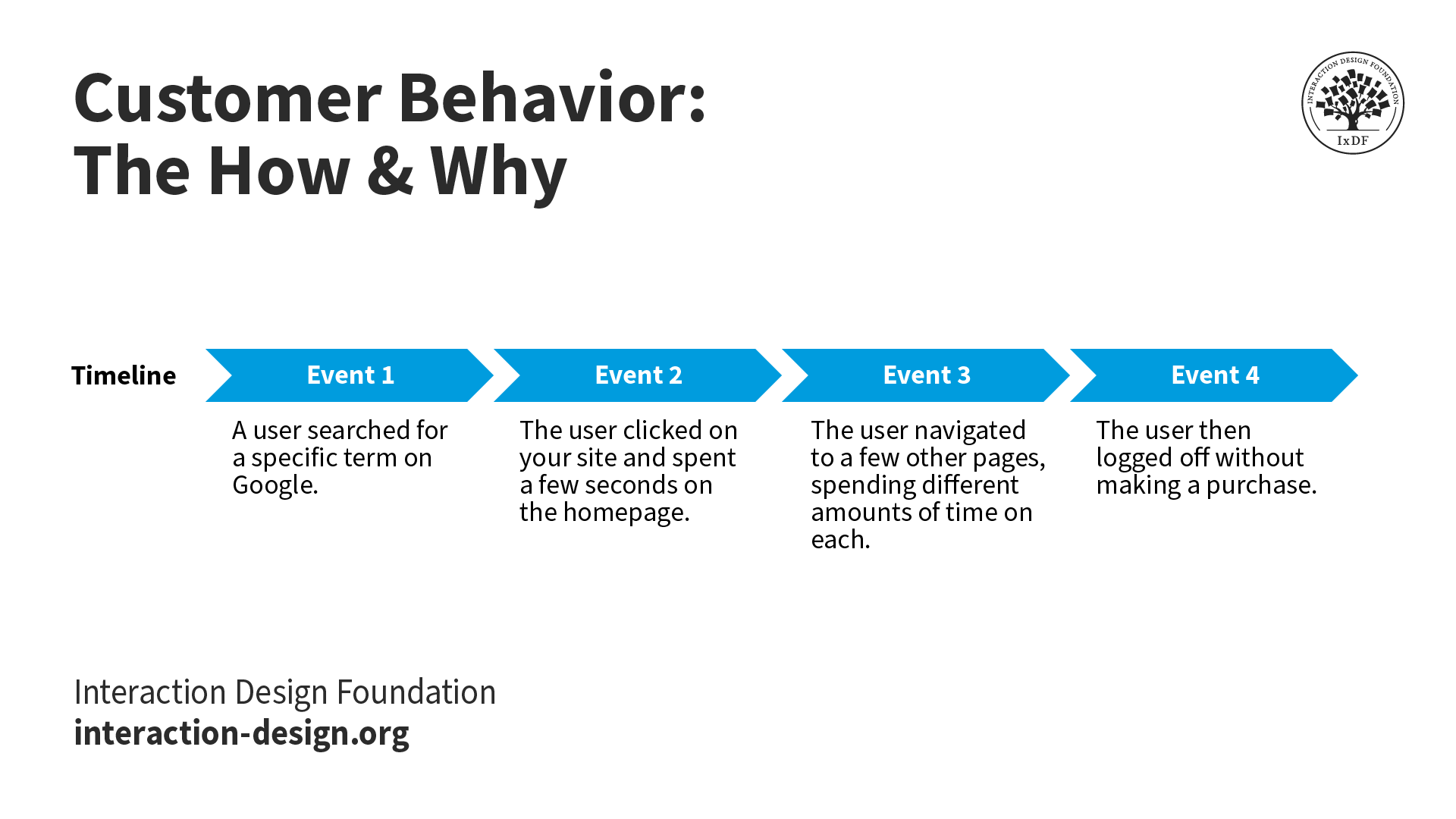
Auditors track the steps users take in their experience with a brand in a digital product.
This includes a detailed review of the aesthetic aspects of a product—like layout, color usage and imagery. For a product team who wants clear, unbiased answers about their user interface (UI) design, an audit can provide a much-needed fresh perspective to boost user engagement.
4. Information Architecture Evaluation
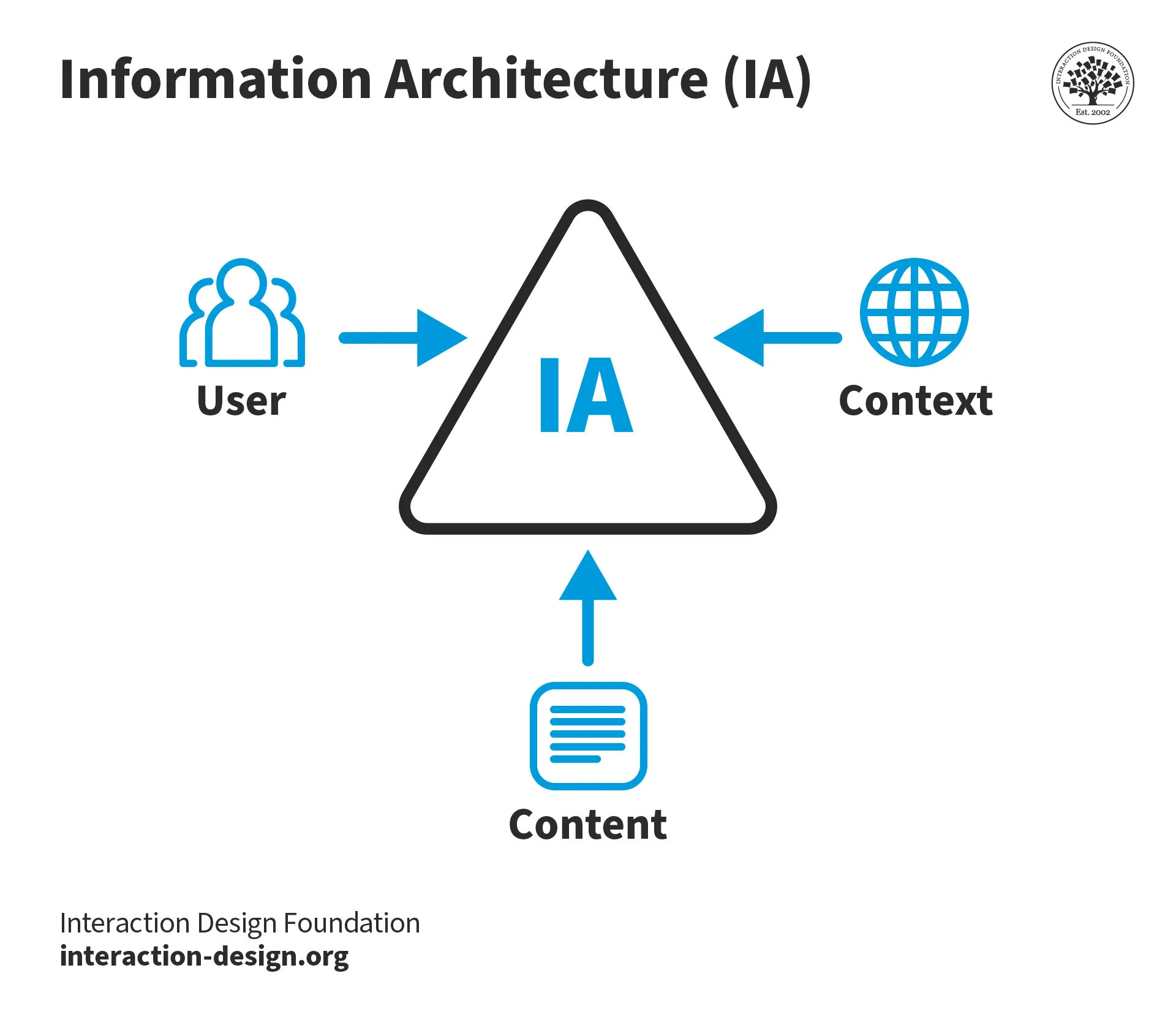
Auditors analyze how designers have organized and presented information on a platform to ensure it's logical and easily navigable.
Experts review the product to identify usability issues based on established usability principles.
6. Usability Testing
Auditors conduct direct user testing to observe how actual users interact with the product and where they face challenges.
Watch as UX Strategist and Consultant, William Hudson explains important aspects of usability testing in this video:
ShowHide
video transcript
Transcript loading…
7. Performance Evaluation
Auditors assess the speed and responsiveness of the application across different devices and networks.
8. Accessibility Evaluation
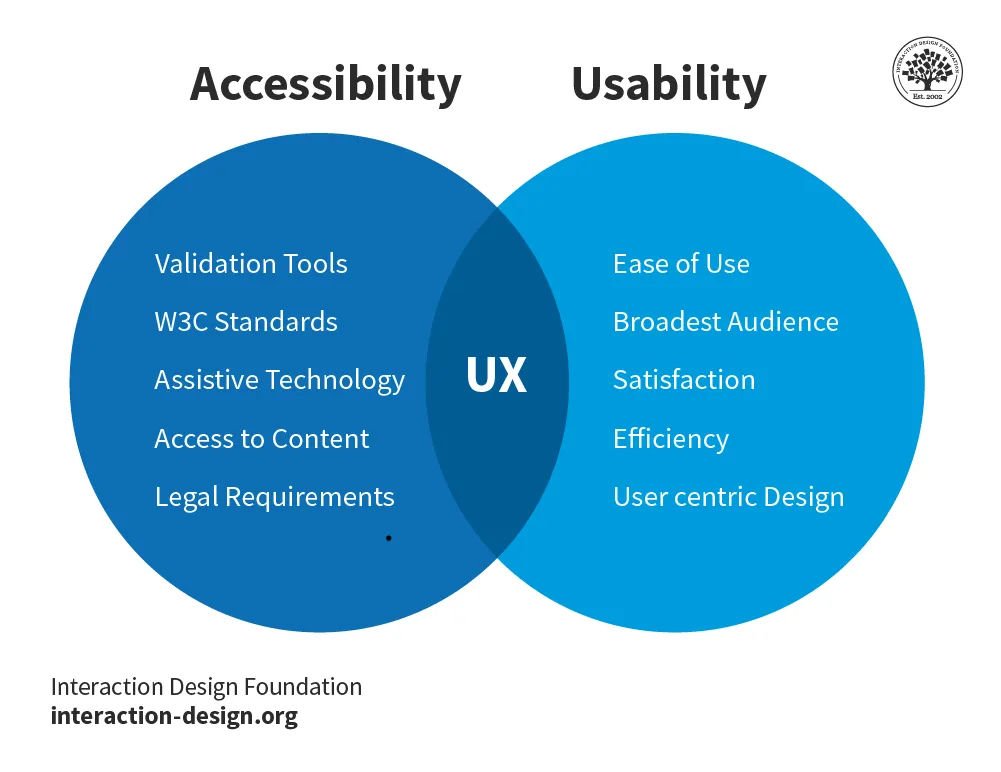
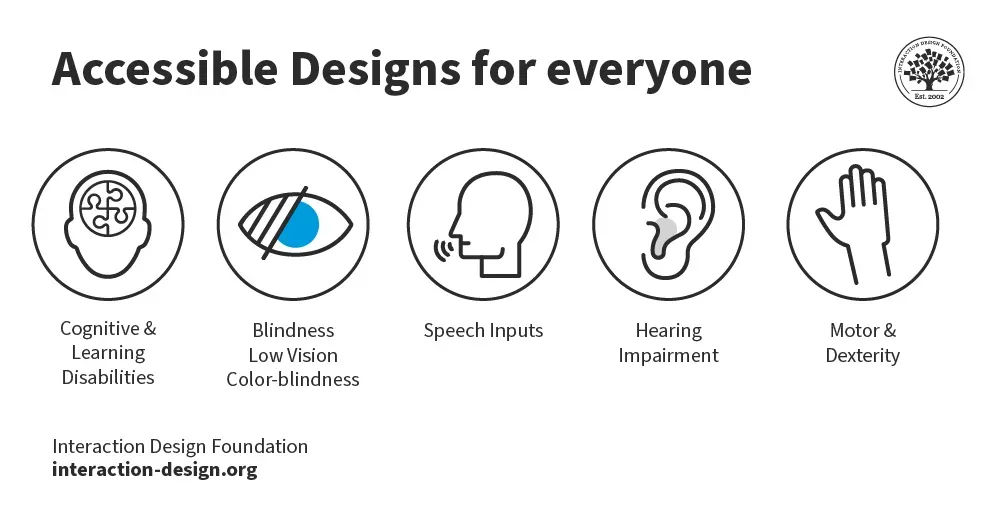
Auditors ensure the product is usable for people with a wide range of disabilities—to enhance overall usability.
See why accessibility is such a vital part of design:
ShowHide
video transcript
Transcript loading…
What does the Audit Process Involve?
The design audit process typically follows these steps, where auditors:
1. Define Goals
Establish clear objectives for what the audit aims to achieve.
2. Gather Data
Collect all relevant materials, including branding guidelines, user feedback and analytics.
3. Analyze Materials
Thoroughly review the gathered information to identify inconsistencies and areas for improvement.
4. Make Reports
Document the findings, highlight key issues and recommend changes.
5. Implement Changes
Apply the suggested improvements to enhance the product's design and user experience.
What are the Benefits of Design Audits?
When brands systematically evaluate all aspects of design, they can ensure that their digital interfaces don't just meet but exceed user expectations and industry standards. More specifically, when they conduct these audits, brands can:
1. Identify and Resolve Usability Issues
Through thorough assessments, design audits pinpoint usability challenges that users may run into. This prompts designers to create more intuitive and user-friendly interfaces. The proactive approach of an audit prevents potential frustrations and enhances the overall user experience. It can provide a deep-dive into how brand designers work and pick out a wealth of insights that UX researchers would recognize as vital issues. These could include important factors that influence bounce rate, for example.
2. Improve Visual Design and Branding
Design audits assess the visual coherence of a brand across its digital platforms. For example, auditors evaluate color schemes, typography and imagery to make sure they align with the brand’s identity. So, design audits can strengthen brand recognition and consistency—plus, align business objectives—while they work to improve the user experience.
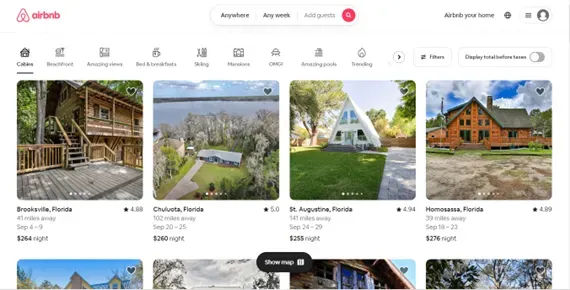
Airbnb also uses typography advantageously. Their minimalistic fonts and lines are visually appealing and easy to read.
Audits review the relevance and clarity of the content that digital platforms present. This ensures that the information isn't only useful and informative but also engaging for the target audience. A successful audit, therefore, increases the value of the content a brand provides to its users. For example, an audit might expose nonessential information in an onboarding process, which might deter would-be customers from converting.
4. Optimize Interaction Design
The focus of interaction design is to create engaging interfaces that respond to user interactions. Audits help refine these elements. They ensure smooth and enjoyable interactions that keep users engaged and satisfied. For example, an entry on a website design audit checklist might show an e-commerce site struggling with user engagement since users have to scroll through numerous categories. A suggestion might be to place categories side by side—to help users with navigation and increase the average time they spend as they stay to find items they want more easily.
5. Ensure Accessibility
Like accessibility audits, a key aspect of design audits is to ensure that digital products are accessible to all users; that includes those with disabilities. This not only broadens the user base—since accessible design is good for all users, regardless of their ability level. It also complies with legal standards, and promotes inclusivity.
Audits assess the performance of digital products to ensure they're fast and responsive across all devices and platforms. This is crucial to keep users satisified and reduce bounce rates. A website design audit example could be a brand’s failure to implement responsive design correctly, so the experience on mobile devices is inconsistent and feels disjointed.
Watch as CEO of Experience Dynamics, Frank Spillers explains responsive design:
ShowHide
video transcript
Transcript loading…
7. Identify and Fix Broken Links
As auditors find and prompt brands to repair broken links, design audits enhance the reliability of digital platforms. So, users can navigate smoothly and not encounter dead ends.
8. Maintain Design System Consistency
Consistency in design elements across all platforms makes sure of a cohesive user experience. Audits help maintain this consistency, something which is vital for brand identity and user trust. For example, a web design audit might expose disconnects in how a brand’s checkout appears between desktop and mobile devices.
9. Ensure Legal Compliance
Audits ensure that digital products comply with all relevant laws and regulations. They reduce legal risks—and so can potentially save brands from losing money and prestige. Another benefit of this is that audits foster trust among users.
10. Stay Ahead of the Competition
Regular design audits let brands stay current with the latest design trends and technologies, and give them a competitive edge in the market.
11. Reduce Development Costs
As brands identify and address issues early through regular audits, they can avoid costly redesigns and redevelopments later—a factor that saves both time and money.
12. Provide Insights into User Behavior and Needs
Last—but not least—design audits offer valuable insights into how users interact with a product. The insights from a brand design audit can inform future design decisions and feature implementations about user experience goals.
When a brand decides to run a design audit, they follow some design audit procedures. Here are some steps to help ensure it is comprehensive and yields actionable insights.
1. Define Clear Audit Goals
First, it’s important to establish the aim of the audit. Goals may include to enhance user experience, boost conversion rates or align the design more closely with brand objectives.
2. Gather User Data
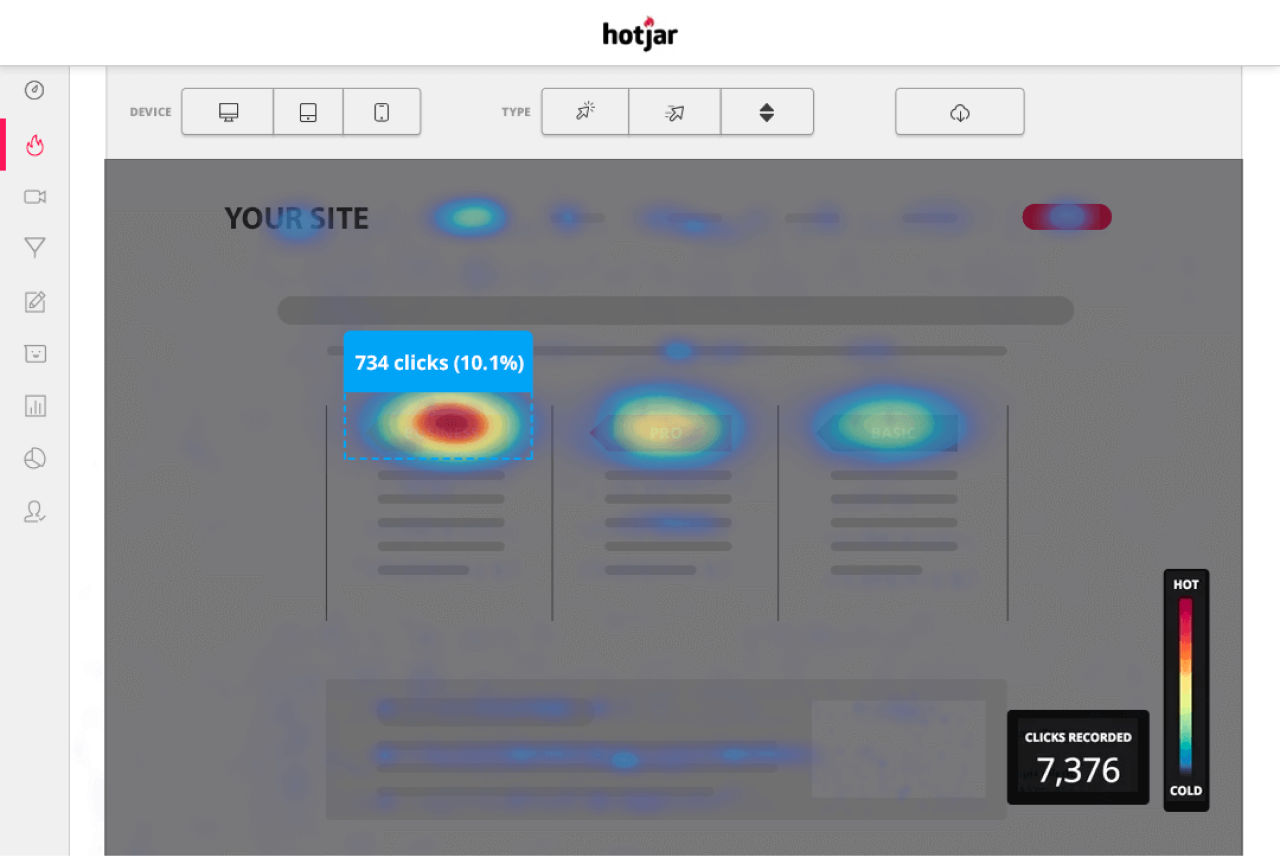
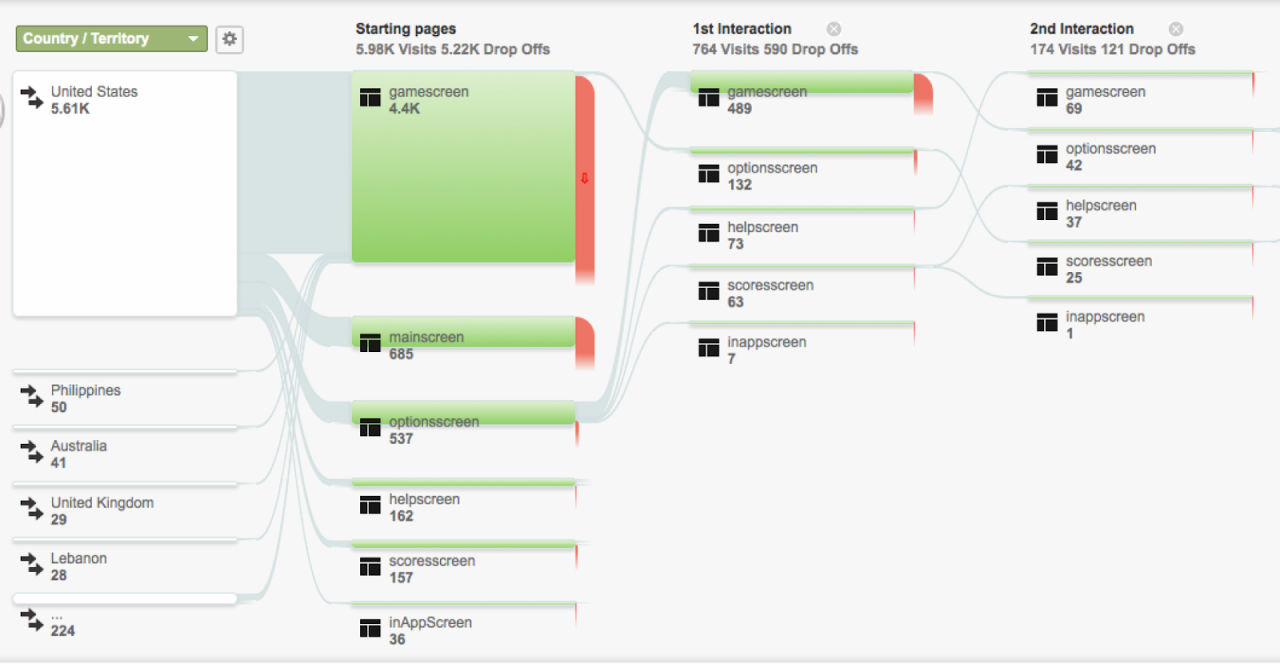
Use tools like Google Analytics for quantitative data and Hotjar for qualitative insights to understand user behaviors and trends. Data could include the following:
4. Conduct Heuristic Analysis and Usability Testing
Conduct heuristic evaluations and usability tests to see what the intuitive nature of the design is like and spot usability issues.
5. Analyze Conversion and Web/App Data
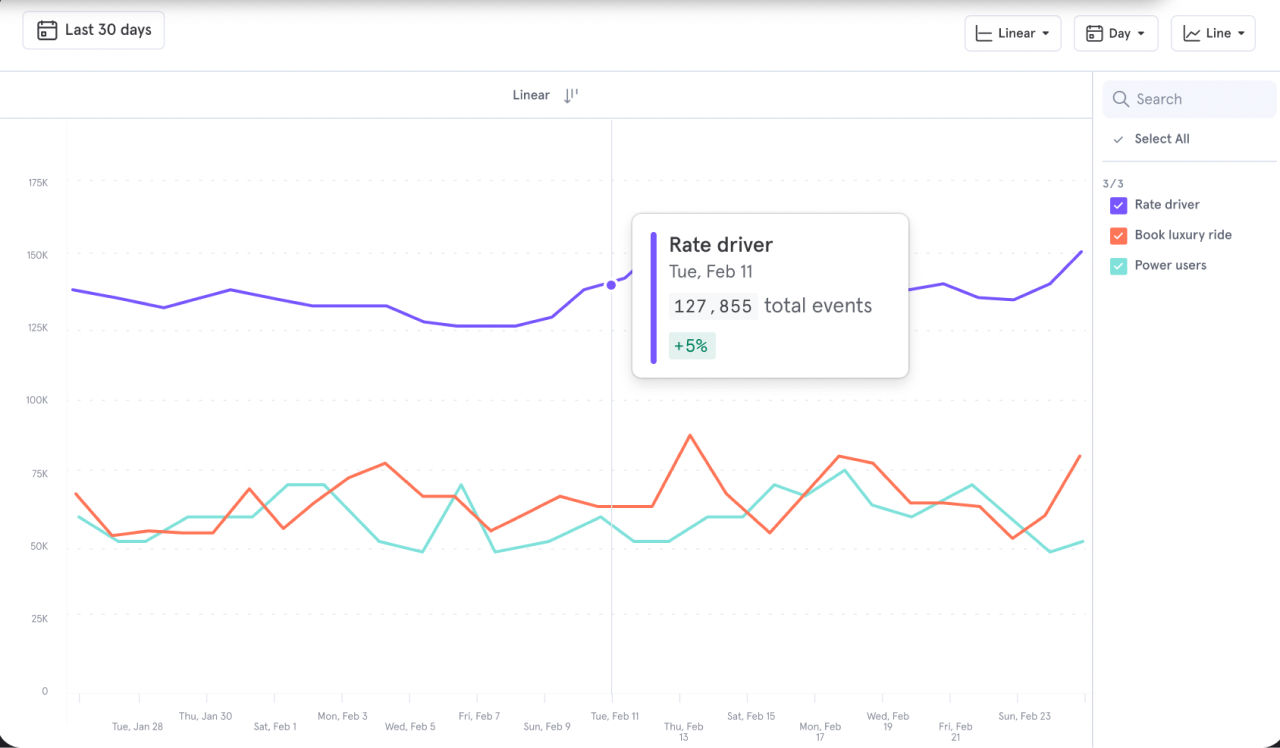
It’s essential to examine conversion metrics and specific app or website usage data; that's a key way to pinpoint areas for improvement.
6. Interview Users and Review Feedback
Direct feedback from users is invaluable. So, conduct interviews and watch recordings of user sessions to collect insights from their side of things.
7. Identify and Prioritize Issues
Document all design issues that crop up and rank them based on their impact on user experience and business goals.
8. Develop Hypotheses for UX Improvements
Based on the issues identified, create actionable hypotheses to address these problems.
9. Prepare a Detailed UX Audit Report
Document all findings and recommendations in a comprehensive report. It's vital to include links to important data and evidence that supports conclusions. The design audit report will need to serve as an actionable document for design and product teams to address issues.
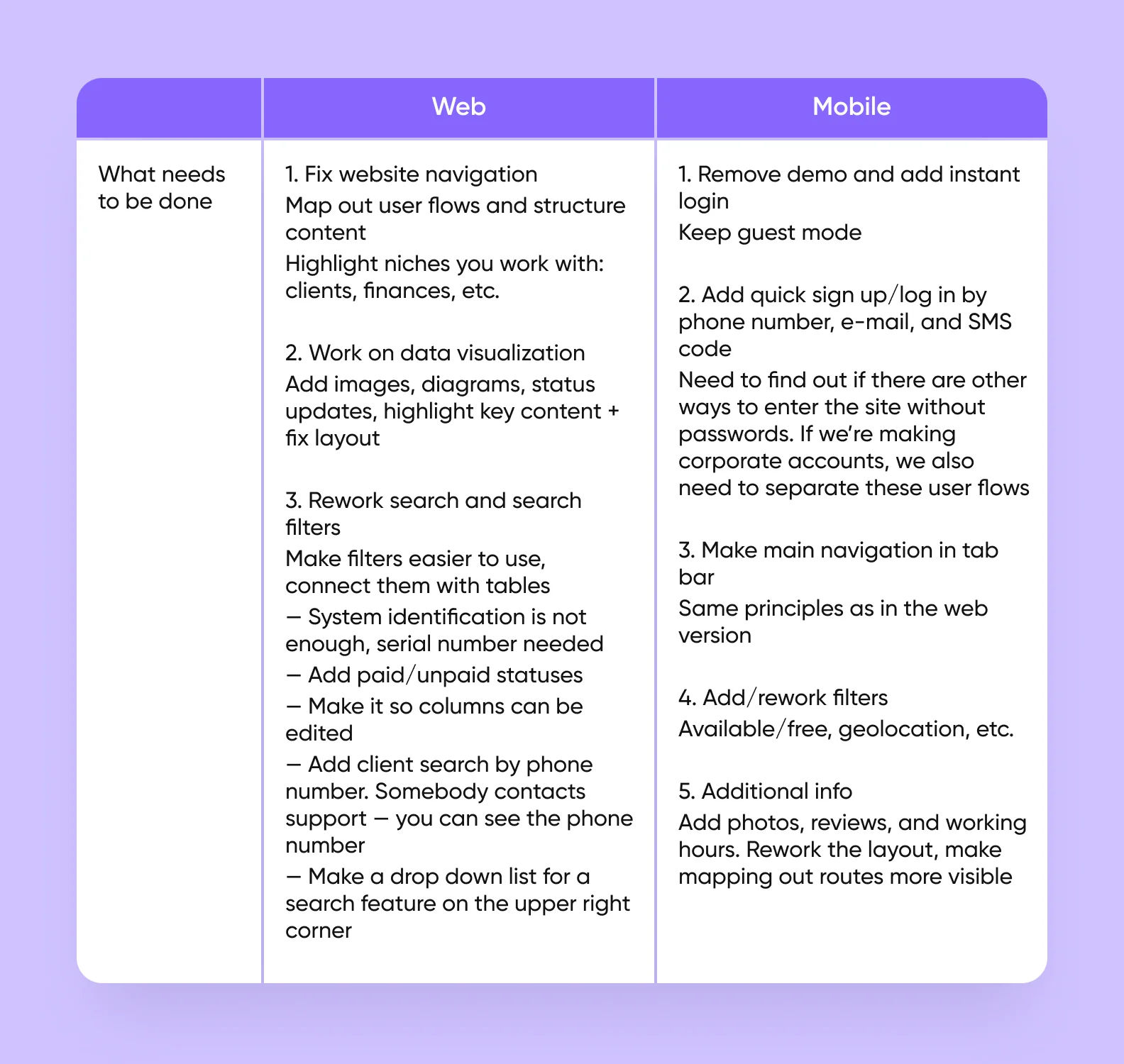
This report has detailed remedies for both web and mobile.
Once the audit is complete, the next crucial phase is the implementation of the findings. This involves several key actions to start fixing items on the UX design audit checklist:
1. Create a Detailed Implementation Plan
Outline the steps, timelines and resources needed to address the audit findings.
2. Set Realistic Expectations
Understand the scope of changes and set achievable deadlines and budgets.
3. Use the Right Tools
Employ project management tools like Trello or Asana to keep track of progress and ensure that all team members are aligned.
4. Update Design Standards
From out of the audit findings, it’s vital to update design standards—including typography guidelines, color palettes and navigation structures.
5. Refresh Branding and Improve Positioning
Implement changes that refresh outdated branding and improve search engine positioning to drive more traffic and enhance user engagement.
6. Conduct Follow-Up Audits
Regularly revisit the design to make sure that the implementations have had the desired effect and to make further adjustments as needed.
The key is meticulous planning, thorough analysis and diligent implementation of audit findings.
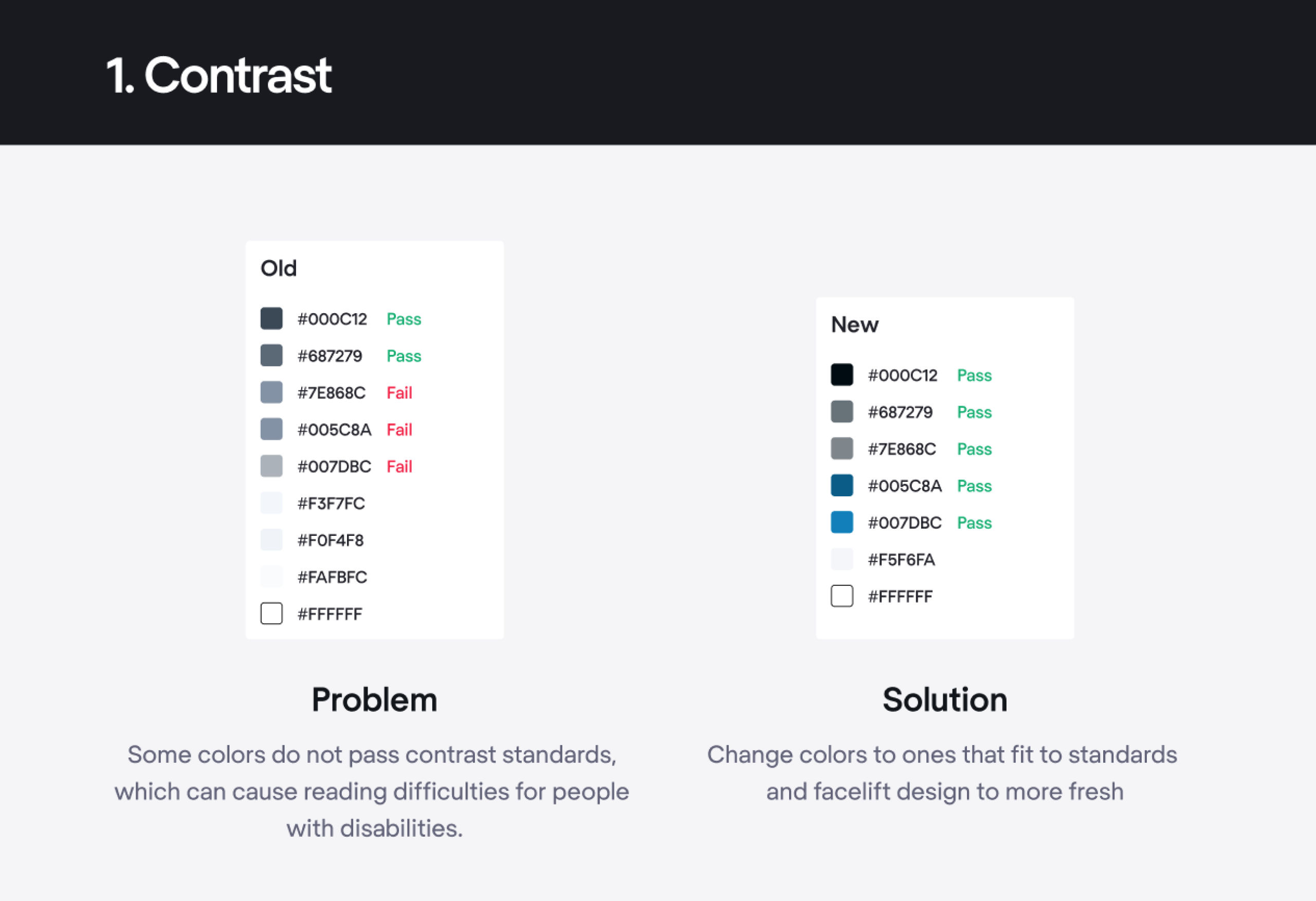
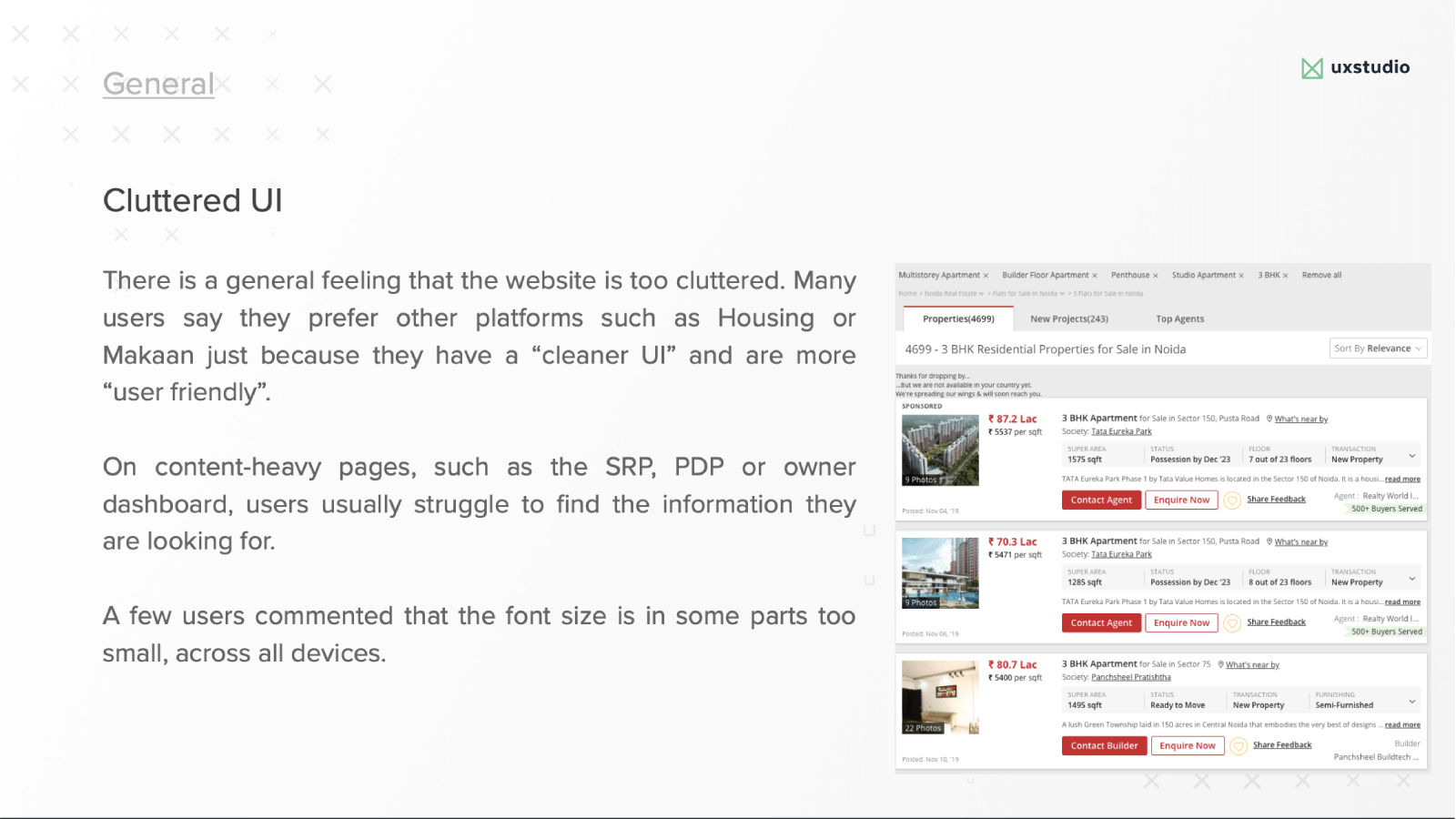
An example of audit findings: a problem with a solution.
To ensure the effectiveness of a design audit, it's crucial to:
Document every aspect of the current design state.
Use the right tools—such as heatmaps and analytics software—to gather detailed insights.
Set realistic expectations about what the audit can achieve based on available resources and timelines.
Review any previous reports to check for recurring issues and to see if the brand implemented previous recommendations effectively.
Understand the resources available for the audit. These include budget, tools and personnel. It’s essential to define the deliverables, deadlines and stakeholders involved in the audit process.
Once the audit is underway, it’s vital to document all findings systematically. Prioritize the issues based on their impact on user experience and business goals. This helps in planning the implementation of changes efficiently.
Overall, design audits are key to how brands optimize how they design and develop digital products for real-world users. Whether brands use website design audit tools, templates or services, the principles behind an audit are a good insurance to help make the most of a product for both brand and users.
What tools do professionals use to perform UX design audits?
Professionals use several tools to perform UX design audits effectively. Key ones include:
Analytics platforms: Google Analytics and Hotjar help professionals understand user behaviors and identify areas needing improvement.
User testing tools: UsabilityHub and Lookback allow designers to gather direct feedback from users through tests and interviews.
Prototyping software: Tools like Sketch and InVision facilitate creating interactive prototypes to evaluate the usability of designs.
Heatmap tools: Crazy Egg and Mouseflow provide visual representations of where users click and how they navigate—revealing user interaction patterns.
Accessibility checkers: Tools like WAVE and Axe ensure that designs meet accessibility standards and are usable for all users.
By combining these tools, UX professionals can comprehensively evaluate and boost the user experience.
Watch Author and Human-Computer Interaction Expert, Professor Alan Dix explain important aspects of prototyping:
ShowHide
video transcript
Transcript loading…
Read our Topic Definition of accessibility for more about this essential part of UX design.
What are the key components of a successful UX design audit?
The key components of a successful UX design audit involve:
Goals and objectives: Clearly define what you want to achieve with the audit. This helps focus the evaluation on critical areas.
User research: Collect data on how users interact with the product. This includes surveys, interviews and usability testing to understand their needs and frustrations.
Heuristic evaluation: Use established principles—like Nielsen's heuristics—to weed out usability problems in the design.
Competitor analysis: Compare your product with competitors to identify strengths, weaknesses and chances for improvement.
Analytics review: Analyze user behavior data from tools like Google Analytics to get a detailed view of where users struggle or disengage.
Accessibility assessment: Ensure the design meets accessibility standards to accommodate all users, including those with disabilities.
Report and recommendations: Compile the findings into a clear report. Be sure to give actionable recommendations to improve the user experience.
UX Strategist and Consultant, William Hudson explains important points about expert or heuristic evaluation in this video:
ShowHide
video transcript
Transcript loading…
Read our Topic Definition of UX research to understand more about this critical area of UX design.
What metrics should I measure in a UX design audit?
In a UX design audit, you should measure several key metrics to evaluate user experience effectively:
User satisfaction: Use surveys and feedback forms to gauge how happy users are with the product. Look for overall satisfaction scores and specific comments about usability and design.
Task completion rate: Determine the percentage of users who successfully complete intended tasks without help. A low rate indicates usability problems.
Time on task: Measure how long it takes users to complete key tasks. Longer times can signal confusing or inefficient design.
Error rate: Track how often users make errors and how severe these errors are. Frequent or critical errors highlight areas needing improvement immediately.
Click-through rate (CTR): Observe the rate at which users click on key elements or calls to action. Low CTRs suggest that elements aren't effectively capturing user attention.
Bounce rate and exit rate: Analyze how often users leave a page or the entire site quickly. High rates may indicate that the content or layout isn't meeting user expectations.
From measuring these metrics, you can identify areas for improvement and make informed decisions to make the user experience better.
Watch as William Hudson explains important aspects of web and app analytics in this video:
ShowHide
video transcript
Transcript loading…
Video copyright info
Author: Stewart Cheifet. Appearance time: 0:22 - 0:24. Copyright license and terms: CC / Fair Use. Modified: Yes. Link: https://archive.org/details/CC1218greatestgames
CEO of Experience Dynamics, Frank Spillers explains task analysis, a helpful way to stay ahead of what users need and ultimately prepare for a good audit report.
ShowHide
video transcript
Transcript loading…
What are the common pitfalls to avoid during a UX design audit?
During a UX design audit, it's crucial to avoid several common pitfalls so you can make sure the process is effective:
Lack of clear objectives: Always define what you aim to achieve with the audit. Without clear goals, it's difficult to focus the evaluation and measure success.
To ignore user feedback: Don't overlook what users say about their experiences. Their insights are precious for identifying real usability issues.
To focus only on aesthetics: While design is important, ensure you assess usability, functionality and accessibility, too. Balance visual appeal with practical user needs.
To skip competitive analysis: Compare your product with competitors to spot industry trends and user expectations. This can reveal areas where your design lags behind.
To overlook mobile responsiveness: With many users on mobile devices, ensure your audit includes mobile usability to avoid alienating a large user segment.
Insufficient testing: Conduct thorough testing with real users to validate findings. Relying solely on heuristic evaluations can miss context-specific issues.
By avoiding these pitfalls, you enhance the audit's effectiveness—leading to more accurate improvements in the user experience.
Watch as CEO of Experience Dynamics, Frank Spillers explains responsive design:
ShowHide
video transcript
Transcript loading…
How do I prioritize issues found in a UX design audit?
To prioritize issues found in a UX design audit, follow these steps:
Assess impact on users: Identify which issues most significantly affect the user experience. Issues that cause frustration or prevent users from completing tasks should take top priority.
Consider severity: Evaluate how critical each issue is. Problems that lead to errors or confusion are more urgent than those that are just inconvenient.
Analyze frequency: Prioritize issues that occur frequently or affect a large number of users. These widespread problems have a greater overall impact on the user experience.
Estimate effort and resources: Consider how much time, effort, and resources are needed to fix each issue. Sometimes, quick wins with low effort are addressable first to improve the user experience rapidly.
Align with business goals: Make sure that the prioritization is in line with the organization's strategic objectives. Issues that hinder key business goals should get higher priority.
By following these steps, you can systematically prioritize issues to really make sure that you address the most critical and impactful ones first—enhancing the overall user experience.
Watch as Frank Spillers explains important points about UX strategy, especially in regard to estimating effort and resources, and aligning with business goals.
ShowHide
video transcript
Transcript loading…
What role does user feedback play in a UX design audit?
User feedback plays a crucial role in a UX design audit as it provides direct insights into how real users interact with and perceive the product. This feedback helps identify usability issues, understand user needs and validate design decisions. Or, to be more specific, user feedback:
Reveals real user problems: User feedback uncovers the actual difficulties and frustrations users face—things that might not be evident from analytics alone.
Guides improvement priorities: From listening to users, you can prioritize changes that will have the most significant positive impact on their experience.
Validates design choices: Feedback helps confirm if recent design updates are meeting user expectations or if they require further refinement.
Enhances user satisfaction: To address the concerns that come up in user feedback shows that you value user input, which can increase loyalty and satisfaction.
Informs future designs: To understand user preferences and pain points from feedback guides the direction for future design improvements and innovations. From integrating user feedback into a UX design audit, you ensure the design process is user-centered and focused on continuous improvement.
William Hudson explains how to write good questions for user feedback surveys:
ShowHide
video transcript
Transcript loading…
What is the difference between a UX design audit and usability testing?
A UX design audit and usability testing are both crucial in improving user experience, but they do differ in their approach and focus.
A UX design audit involves a comprehensive review of a product's user experience by experts. They use established principles and guidelines to evaluate the design, identifying issues in usability, accessibility and consistency. The goal is to find areas where the design doesn't meet best practices or user expectations. An audit typically covers the entire user interface and examines elements like navigation, content and visual design.
Usability testing—on the other hand—involves real users interacting with the product to identify specific usability issues. This process directly observes how users perform tasks, where they encounter problems and how they feel about the product. Usability testing provides direct feedback from users and is instrumental in understanding actual user behavior and preferences.
So, in summary, a UX design audit provides an expert evaluation of the entire user experience against best practices—while usability testing offers insights into how real users interact with and perceive the product.
UX Strategist and Consultant, William Hudson explains important points about expert or heuristic evaluation in this video:
How do I involve stakeholders in the UX design audit process?
To involve stakeholders in the UX design audit process effectively, follow these steps:
Identify key stakeholders: Determine who has a vested interest in the product's success, such as product managers, developers, marketers and end-users.
Communicate the purpose: Clearly explain the goals and benefits of the UX design audit. Help stakeholders understand how it can improve the product and user experience.
Gather input: Ask stakeholders for their insights and concerns about the current design. This helps identify areas that need special attention during the audit.
Share progress: Regularly update stakeholders on the audit's findings. Use meetings or reports to discuss issues, potential solutions and the impact on the product.
Seek feedback: After presenting audit results, ask for feedback. This ensures that the proposed changes come into alignment with business goals and user needs.
Involve in decision-making: Let stakeholders participate in prioritizing the identified issues. This fosters a sense of ownership and commitment to implementing the improvements.
By actively involving stakeholders throughout the UX design audit, you ensure the process is collaborative, transparent and focused on achieving shared goals.
Watch as Design Director at Société Générale CIB, Morgane Peng explains important points about how to engage with stakeholders:
ShowHide
video transcript
Transcript loading…
What are the best practices for documenting a UX design audit?
To document a UX design audit effectively, follow these best practices:
Use a structured format: Organize the audit report into sections such as executive summary, methodology, findings and recommendations. This structure makes it easier for stakeholders to understand and navigate the document.
Include clear objectives: State the goals of the audit at the beginning. This helps readers understand the purpose and scope of the evaluation.
Detail the findings: Describe each usability issue you identify. Include screenshots, user quotes and data to illustrate the problems clearly.
Provide actionable recommendations: For each issue, suggest specific improvements or solutions. Explain how these changes can enhance the user experience.
Prioritize issues: Rank the problems based on their impact on users and the business. This helps stakeholders focus on addressing the most critical issues first.
Add an appendix: Include any additional information such as user personas, research data and heuristic evaluation criteria in an appendix for reference. By following these practices, you ensure that the UX design audit documentation is comprehensive, clear and actionable for all stakeholders involved.
Watch as Professor Alan Dix explains user personas and their importance in UX design:
ShowHide
video transcript
Transcript loading…
How do I ensure my UX design audit is comprehensive and covers all aspects?
To ensure your UX design audit is comprehensive and covers all aspects, follow these steps:
Define clear objectives: Start by setting specific goals for the audit. Know what you want to achieve and which areas you need to evaluate.
Use a checklist: Adopt a comprehensive checklist that includes all UX components like navigation, content, accessibility and responsiveness. This helps you systematically assess every aspect.
Include user feedback: Gather insights from real users about their experiences and challenges. This adds depth to your audit by highlighting actual user issues.
Conduct heuristic evaluation: Apply UX principles and heuristics to examine the design for common usability flaws and adherence to best practices.
Review analytics: Analyze user behavior data from tools like Google Analytics to identify patterns and areas where users struggle.
Compare with competitors: Look at similar products to understand industry standards and identify areas where your design can improve.
Get stakeholder input: Involve stakeholders from different departments to get diverse perspectives and ensure no key aspect gets overlooked.
From following these steps, you make your UX design audit thorough—and ensure it identifies all critical issues and opportunities for improvement.
William Hudson explains important points about expert or heuristic evaluation:
How do I measure the return on investment (ROI) of a UX design audit?
To measure the return on investment (ROI) of a UX design audit, follow these steps:
Define key metrics: Identify the specific metrics that reflect user experience improvements, such as increased user engagement, reduced bounce rates or higher conversion rates.
Establish baselines: Record these metrics before making any changes based on the audit. This gives you a clear starting point to compare against.
Implement recommendations: Apply the improvements suggested in the UX design audit to address the identified issues.
Monitor changes: Track the same metrics after implementing the changes over a suitable period. This shows how user behavior and outcomes have shifted.
Calculate cost savings: Assess any reductions in support calls, decreased development time or lower churn rates resulting from the improved design.
Analyze revenue growth: Look for increases in sales, subscriptions or other revenue streams directly tied to the enhanced user experience.
Compute ROI: Subtract the cost of conducting the UX design audit and implementing its recommendations from the financial gains. Then, divide by the audit cost to get the ROI percentage.
This approach helps you quantify the financial benefits of a UX design audit, and shows how it contributes to the business's bottom line.
CEO of Experience Dynamics, Frank Spillers explains key points about ROI and UX:
ShowHide
video transcript
Transcript loading…
What are some highly cited scientific articles about the subject of design audits?
This conference paper evaluates the effectiveness of various automated web accessibility evaluation tools and emphasizes the limitations of relying solely on such tools for accessibility audits. It underscores how important it is to combine automated testing with manual evaluation by accessibility experts.
Earn a Gift, Answer a Short Quiz!
Question 1
Question 2
Question 3
Get Your Gift
Try Again! IxDF Cheers For You!
0 out of 3 questions answered correctly
Remember, the more you learn about design, the more you make yourself valuable.
It's Easy to Fast-Track Your Career with the World's Best Experts
Master complex skills effortlessly with proven best practices and toolkits directly from the world's top design experts. Meet your experts for this course:
Don Norman: Father of User Experience (UX) design, author of the legendary book “The Design of Everyday Things,” and co-founder of the Nielsen Norman Group.
Rikke Friis Dam and Mads Soegaard: Co-Founders and Co-CEOs of IxDF.
Mike Rohde: Experience and Interface Designer, author of the bestselling “The Sketchnote Handbook.”
Stephen Gay: User Experience leader with 20+ years of experience in digital innovation and coaching teams across five continents.
Alan Dix: Author of the bestselling book “Human-Computer Interaction” and Director of the Computational Foundry at Swansea University.
Ann Blandford: Professor of Human-Computer Interaction at University College London.
Cory Lebson: Principal User Experience Researcher with 20+ years of experience and author of “The UX Careers Handbook.”
Heuristic Evaluation: How to Conduct a Heuristic Evaluation
Heuristic evaluation is the activity of using a set of guidelines (heuristics) to evaluate if an interface is user-frien
1.2k shares
1 year ago
Open Access—Link to us!
We believe in Open Access and the democratization of knowledge. Unfortunately, world-class educational materials such as this page are normally hidden behind paywalls or in expensive textbooks.