AI won't replace you. But a designer who uses AI will. That's the reality we face today. AI amplifies your natural ability to solve people's problems, improve their lives, and do fulfilling, career-accelerating work. But it can't replace your human-centered skills like empathy, creativity, and systems thinking.
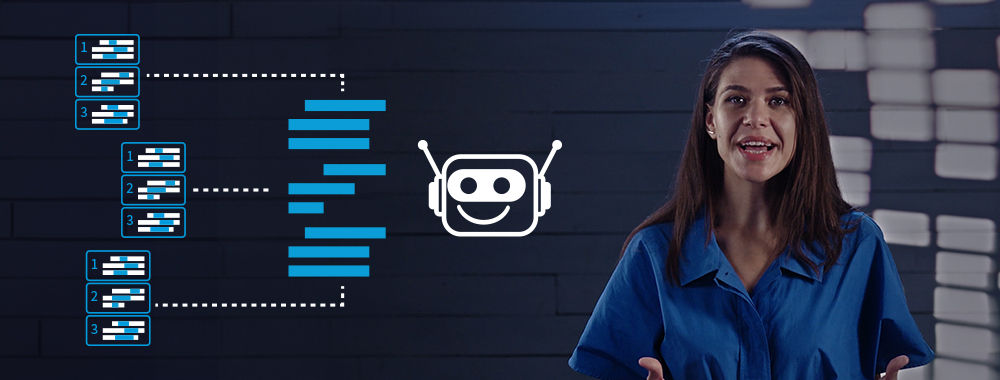
At each stage of the design process, AI offers you golden opportunities to optimize your workflows and get results faster. In this video, Ioana Teleanu, Founder of UX Goodies and former Lead Product Designer (AI) at Miro, uses two types of AI research tools (insight generators and collaborators) as a lens to explain broader limitations of AI tools in design and what to watch out for.
Show
Hide
video transcript
- Transcript loading…
The Designer's Role Has Shifted: From Creator to Director
When you use AI well, you're not just "asking for answers." You're curating solutions strategically:
You frame the situation so the tool understands what matters.
You provide evidence to guide the tool and avoid assumptions.
You specify deliverables so output drives decisions.
You refine and judge output to stay aligned with real user needs and business constraints.
This separates "AI that sounds helpful, but isn't" from "AI that moves work forward." Common advice is to treat AI as a junior designer, and for good reason. When you instruct AI with clarity and provide context, constraints, success criteria, and how you'll evaluate results, you protect against its capability to make things up, introduce bias, and lead us astray. These pitfalls can result in disastrous design decisions that affect real people and business profits.
The AI Workflow Framework
Use this lightweight framework to apply AI across the design thinking process: empathize (research), define, ideate, prototype, and test, plus delivery of the final design. It keeps your process flexible while helping you get consistent, useful outputs.
At any stage, clarify your intent, what constraints apply, what evidence matters, and what "good" output looks like. Then use AI to accelerate work within those boundaries, without surrendering judgment.
For each stage, define the following:
Goal: What do you need to create or figure out?
Design Context: What must be true in this situation?
Inputs: What evidence or constraints should AI use?
Desired Output: What deliverable do you need?
Quality Checks: How will you validate it?
Refinement: What will you judge and iterate?
If you're ready to begin working with AI, you should already have the answers to these questions at each stage. If not, you likely need to step back and define what decision you're actually trying to make. AI amplifies whatever you input, whether it's clarity or confusion.
How to Write Prompts That Actually Work
If you've filled in the framework for your current stage, you already have all the key parts of a strong prompt.
In this snippet from a 1-hour Master Class, Rafael Hernandez, Lead Product Designer at T. Rowe Price, shows you how the four elements of design context, input, desired output, and refinement turn vague prompts into clear, decision-ready briefs for AI.
Show
Hide
video transcript
- Transcript loading…
When you include refinement in prompts, you prevent AI from overstepping. Many tools recommend which option to choose or what to do next. That's a slippery slope: AI evaluating and iterating its own outputs. This approach keeps you in control as the strategic decision maker, while AI provides options, not judgment.
Stay in Control with These Four Quality Checks
AI can be fast and persuasive, even when wrong. These checks prevent "plausible nonsense" from becoming poor decisions.
Quality Check 1: Traceability
Ask, "Where did this come from?" Request sources that point to your inputs, web searches, or training data. Prompt AI to clearly label its assumptions. If it's not supported by the evidence you provided, treat it as a hypothesis, not a fact.
Quality Check 2: Context Completeness
Ask, "What might be missing because it wasn't in the prompt?" Add constraints, user reality, and specify what not to optimize for. AI only knows what you tell it, so fill in the gaps proactively.
Quality Check 3: Separation of Data vs Interpretation
Ask, "What is observation vs opinion?" Your inputs will vary from raw notes to direct user quotes and other evidence. Make sure AI understands the difference and ask it to label which is which, so you act on facts, not speculation.
Quality Check 4: Bias and Blind Spots
Ask, "Who or what might this exclude?" Request edge cases, counterexamples, and alternative perspectives. AI trained on existing patterns can reinforce existing biases, so you must actively check for fairness. Often, the best practice is to use a dedicated bias-checking tool rather than the same AI that generated the output.
Six Ways to Use AI Across the Design Process
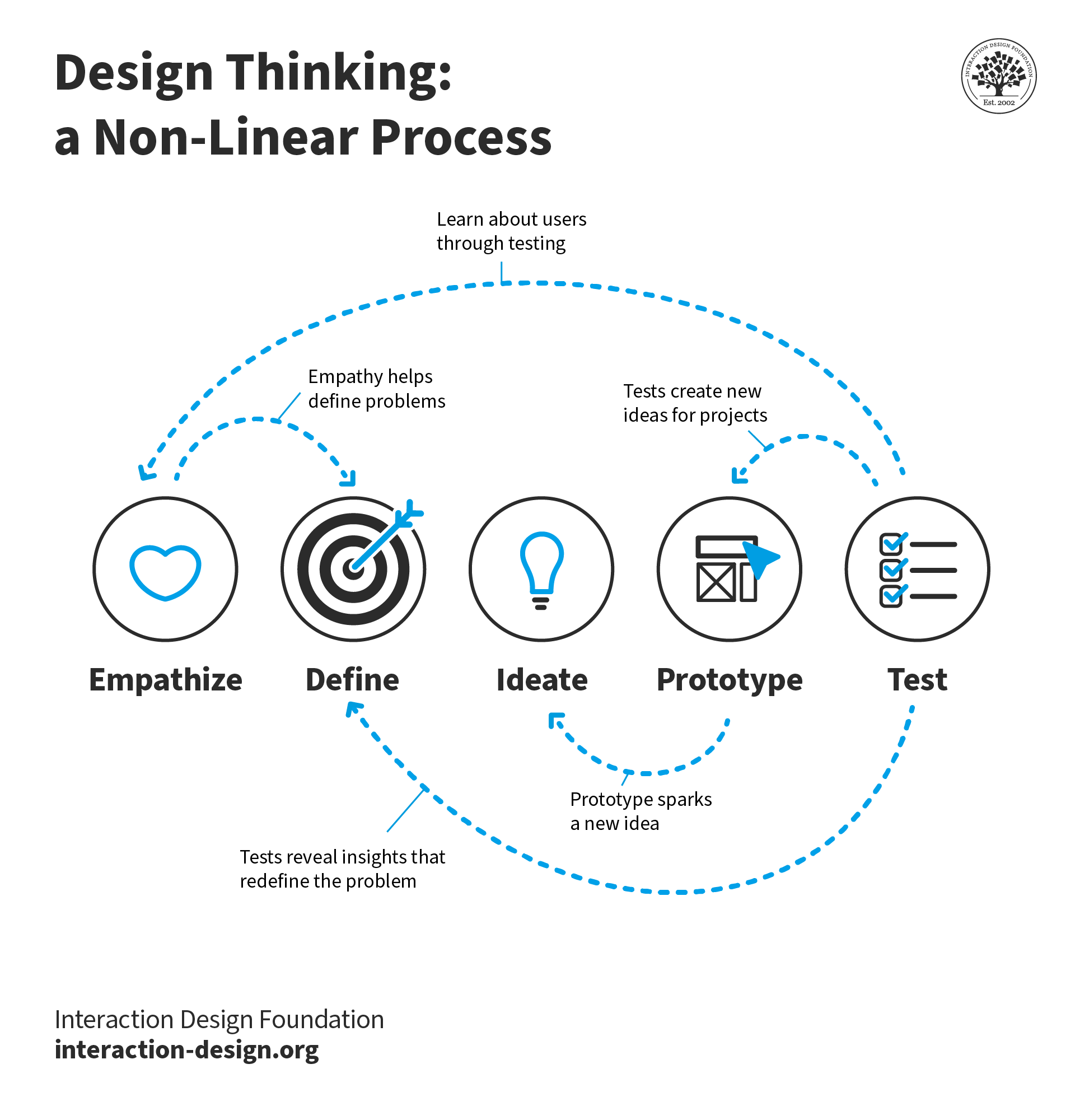
The design thinking process consists of five stages. Delivery of the final design isn't typically included, but it also benefits greatly from AI's capabilities.
© Interaction Design Foundation, CC BY-SA 4.0
Here are just a few ways you can use AI in the design process to give you inspiration:
1. Empathize (Research): Understand the Problem Space
Use AI to: Organize messy information, summarize notes, cluster themes, and draft interview guides.
Ask for: Themes with supporting evidence and unanswered questions. Have AI cite which of your inputs support each theme.
Avoid: Treating summaries as truth. AI organizes what you give it, but doesn't validate whether your research was complete or unbiased.
2. Define: Turn Your Research into Direction
Use AI to: Draft multiple problem framings, assumption lists, hypotheses, and success metrics.
Ask for: 3 problem statements and what evidence would confirm or deny each. This forces you to consider alternatives instead of locking onto the first framing.
Avoid: Accepting the first framing because it sounds confident. AI doesn't know which problem matters most to your users or business. Only you do.
3. Ideate: Generate and Compare Ideas
Use AI to: Supply breadth. Multiple approaches, edge cases, alternative flows, and content variations. AI excels at generating volume quickly.
Ask for: 10 solution directions, including pros and cons and risks for each. Then you curate the most promising and develop them further.
Avoid: Deciding too early because something sounds polished. Polish doesn't mean appropriate. Instead, judge ideas on whether they solve the actual problem.
4. Prototype: Make Ideas Concrete
Use AI to: Create quick variations of copy, UI states, error messages, micro-interactions, naming conventions, and documentation drafts.
Ask for: Variants optimized for clarity, trust, and accessibility. Specify constraints like reading level, tone, or character limits.
Avoid: Moving forward without checking tone, accessibility, and brand fit. AI generates plausible text, but you must ensure it serves real users appropriately.
5. Test: Stress Test Before Launch
Use AI for: Heuristic reviews, edge-case checklists, "what could go wrong?" analysis, and predictive heatmaps.
Ask for: Top usability risks and how to test them quickly. AI can systematically check against known patterns and principles.
Avoid: Using AI as your "test participant." It can suggest issues based on averaged data, but it's not actual user behavior. Always validate with real people.
6. Deliver: Handoff and Continuous Improvement
Use AI to: Summarize decisions and write release notes, support docs, experiment plans, and stakeholder updates.
Ask for: A decision log of what changed, why, the risks, and how you'll measure impact. This creates useful documentation for teams.
Avoid: Sharing sensitive or identifying data with tools that aren't approved by your organization. Check privacy and security policies first.
The Take Away
Use AI strategically, and you'll get ahead of everyone still prompting randomly. At every design stage, define your goal, provide design context and inputs, specify desired output, establish quality checks, and determine how you'll refine results.
This framework translates to your prompt structure. Apply it to organize research, draft problem statements, generate solution ideas, create prototype variations, and stress test before launch. Each stage requires the same discipline: clear goals, specific context, and defined outputs.
But the framework only works if you validate what AI produces. Always apply quality checks. Require traceability to sources, check for missing context, separate data from interpretation, and watch for bias and blind spots.
This is the role shift that defines success in the age of AI: from creator to director. You frame situations, provide evidence, specify deliverables, and judge results. AI accelerates repetitive work and expands exploration. You now have more time to focus on the strategic thinking that moves your projects and your career forward.
References and Where to Learn More
Follow Rafael's full AI-powered design process in our 1-hour Master Class, Get Ahead in Product Design with AI.
Build on your existing creativity, problem-solving, and people skills to learn the powerful 5-stage method called design thinking in our course, Design Thinking: The Ultimate Guide.
Explore how you can apply AI insight generators and collaborators in your research and persona creation process with our article, AI for Persona Research and Creation: Build Better Profiles in Less Time.