Your UX design portfolio is your shop window as a professional, so you’ll want to shine for potential clients and employers. But how do you begin creating this crucial self-promotion piece, which could be the most important design you’ll ever put your name on? Let’s explore some readymade solutions and some helpful design guidelines to make your online UX portfolio gleam, and we’ll end with a demo website we’ve made just for you!
An online UX portfolio website acts as your digital business card. It shows your skills, your style, and your experience. We can’t overstate the importance of having an online portfolio as a UX designer!
Imagine you’re on the other side of the hiring desk: A hiring manager who’s just clicked on a UX designer’s portfolio website, only to find the navigation confusing. But just as bad (or maybe even worse) it took ages to load. What would you do? Instinctively, you'd leave within a few seconds.
That’s the last thing a designer wants when they’re after a good or even better position, but the problem can creep up on even the best designers. The issue is in how you see it: A portfolio or portfolio website is far more than a resume. It’s a project in itself, and, as such, it speaks volumes about you as a designer through its user experience. It's as if to say: “This is what you can expect from me.”
So, you make a design to encapsulate the best of yourself as a designer. But what should your portfolio website look like? Naturally, it has to be user-friendly and visually appealing. A beautiful and smooth-running site says you care about the user: In this case, potential employers. Plus, it tells them you're the real deal, so stay tuned to see how to build an online UX portfolio that’s also engaging.
Use Ready-made Platforms to Create Your Online UX Portfolio with Ease
© Interaction Design Foundation, CC BY-SA 4.0
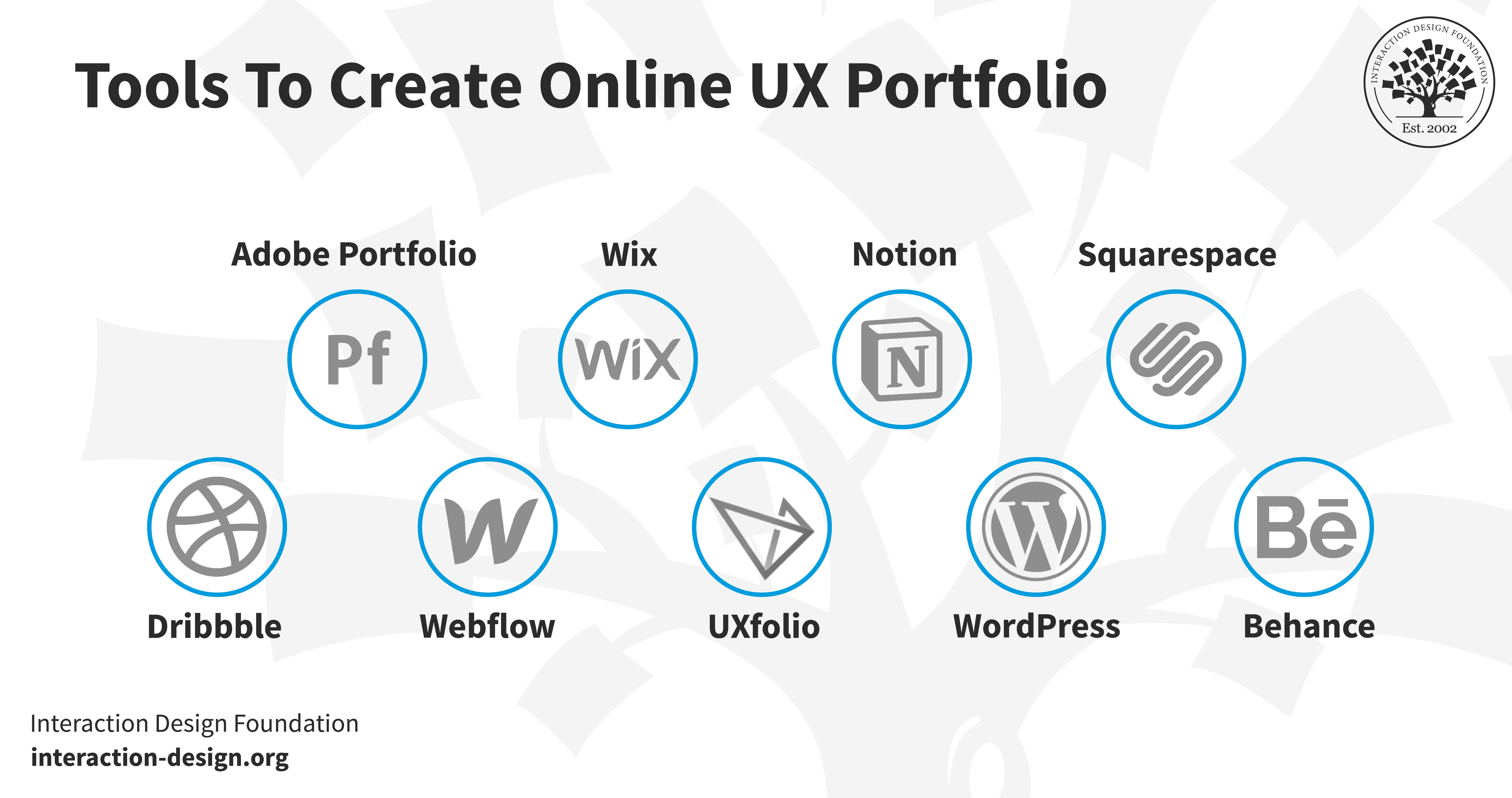
“What happens if I don’t have any coding experience?” might very well be the first thing that pops into your mind. Don’t worry! You can create a UX portfolio with a readymade solution without the need to code.
Please note that we do try to be as unbiased as humanly possible, and we don’t receive any form of sponsorship or payments from our recommendations below. We picked them because they’re popular among fellow designers and because we think they’re easy to use. You should do always do further research to find out if other platforms fit your specific needs better.
1. Behance
© Behance, Fair Use
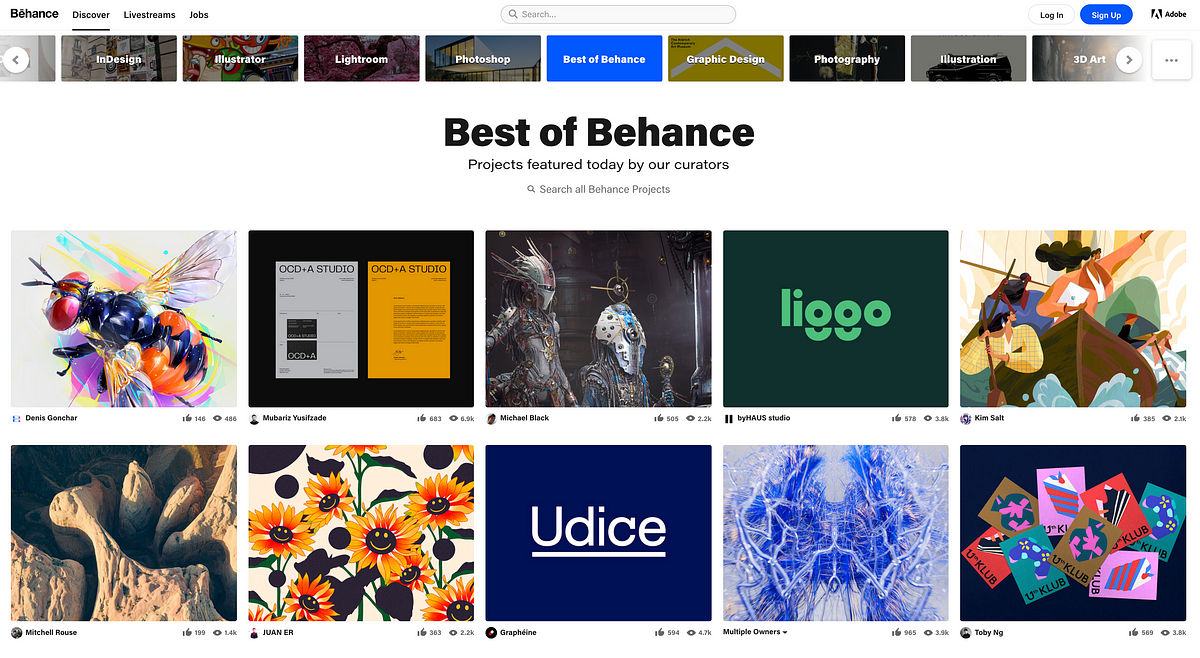
Behance is a leading online platform for creative professionals to showcase their work (including UX designers). It has over 10 million members, so it offers an extensive network for exposure and collaboration. The platform lets you create a personalized portfolio URL and add individual “projects” to work for you as case studies.
Another neat point about Behance is that its user-friendly project editor supports text, images, and videos, and this makes it easy for you to narrate your design process. Plus, you can join the platform for free to share your work and connect with the design community out there.
Main Features
Advanced editing tools.
Multi-owner collaboration.
Visitor interaction.
Free feedback loop.
Example websites
Pros
Free
A large, engaged community.
Multimedia support (text, images, videos).
Collaboration features.
Comment section for critiques to get feedback.
Cons
Fewer design options.
No personal domain.
High Competition since there are over 10 million members.
Less SEO control.
Rating
4.5/5
2. WordPress
© WordPress, Fair Use
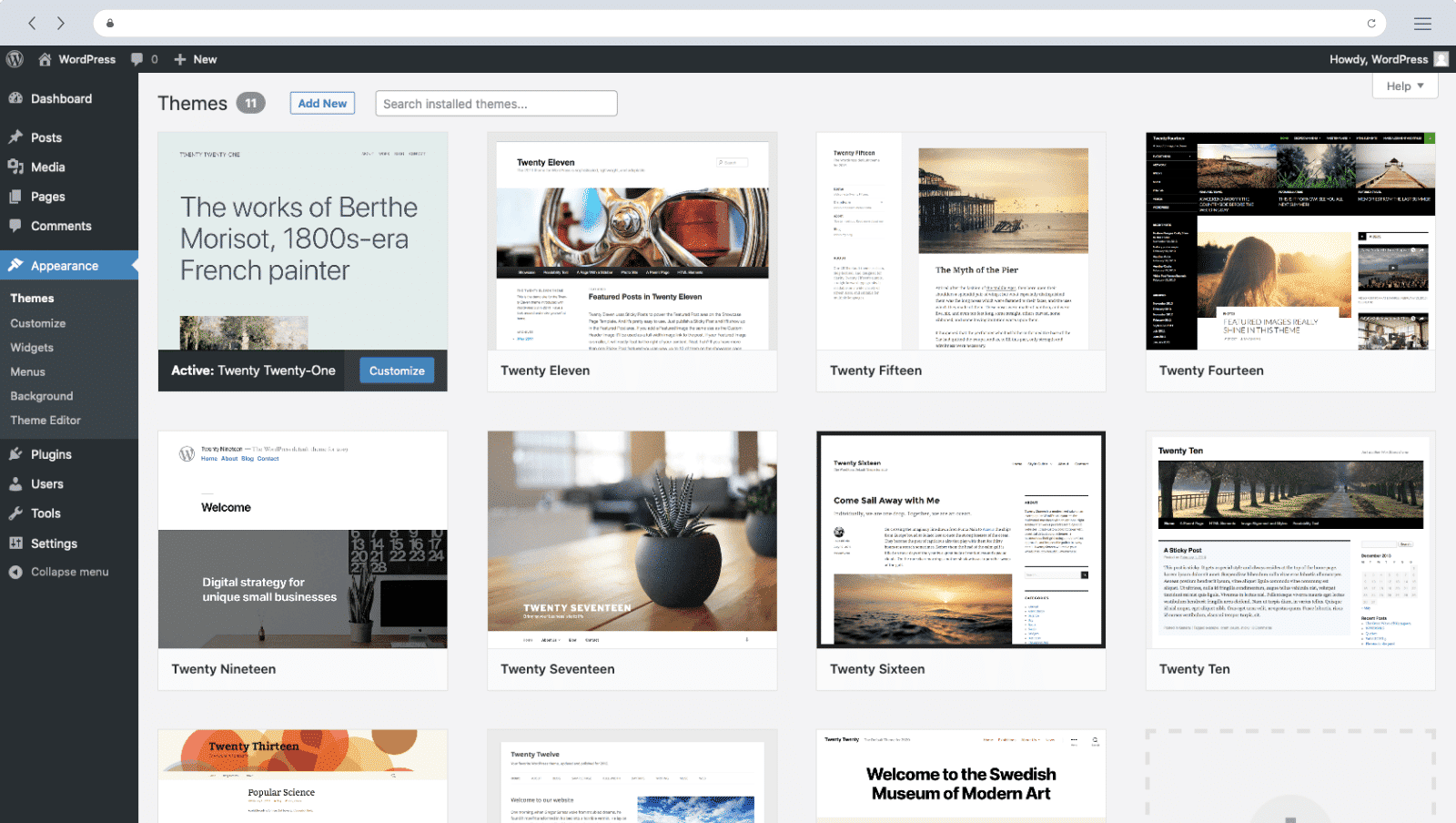
WordPress is a solid choice for beginners as it helps you build a personal website. Possibly the best part about this well-known brand is that you don’t need a plan at all for it. With that said, you can upgrade to a paid plan for a unique URL. As you go through the sign-up process, the platform suggests themes for you to align with your website’s purpose. WordPress is also available for anyone to install for free on their own website.
UX case studies are seriously important for a designer’s portfolio, and they’re straightforward to create with WordPress’s intuitive editor. The editor gives you a live preview and supports various "blocks" for adding elements like headings, images, and tables.This is a nifty point that makes WordPress a versatile pick for designers of all types.
Main Features
Customizable themes.
Intuitive editor.
SEO-friendly.
Plugin support.
Live preview.
Create WordPress websites directly from Figma.
Example Websites
Pros
Offers a vast array of themes and plugins.
An intuitive dashboard and editor make it easy to use.
Built-in features and plugins help optimize search engine rankings.
Large online community for troubleshooting and advice.
Cons
While user-friendly, mastering features takes time.
Premium themes, plugins, and hosting can be expensive.
Too many plugins can slow down site performance.
Rating
4.4/5
3. Squarespace
© Squarespace, Fair Use
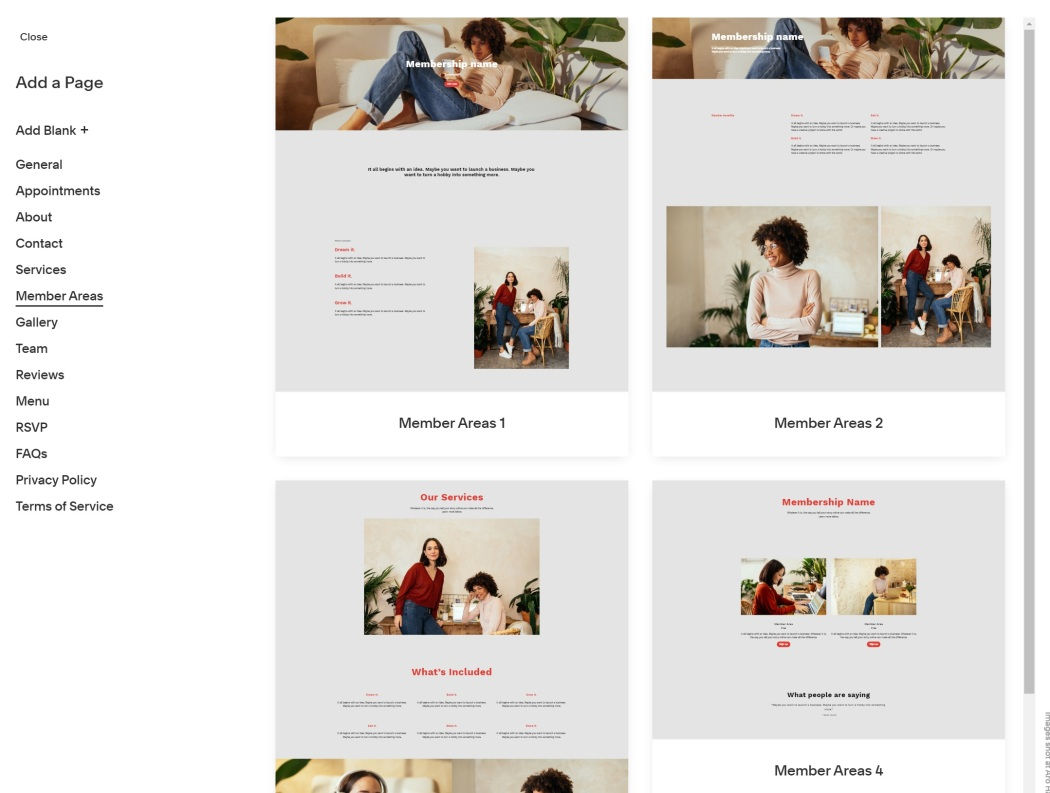
Squarespace is an online platform to build a website. It offers a drag-and-drop interface and collects all the essential tools so they’re together in one place. So, it does away with any need for you to switch between different platforms.
This a great builder if you want to create an innovative design portfolio website. The platform provides customizable templates, SEO tools, and integrated marketing features that help you create anything from portfolios to e-commerce sites.
Main Features
SEO tools.
Customizable templates.
Integrated marketing tools.
E-commerce support.
Example Websites
Pros
Simplicity and ease of use.
No-code editing capabilities.
Ready-made templates.
Cons
Limitations to customizing templates.
Confusing user experience in some places.
Shortage of plugins and extensions compared to other website builders.
Rating
4.4/5
4. Dribbble
© Dribbble, Fair Use
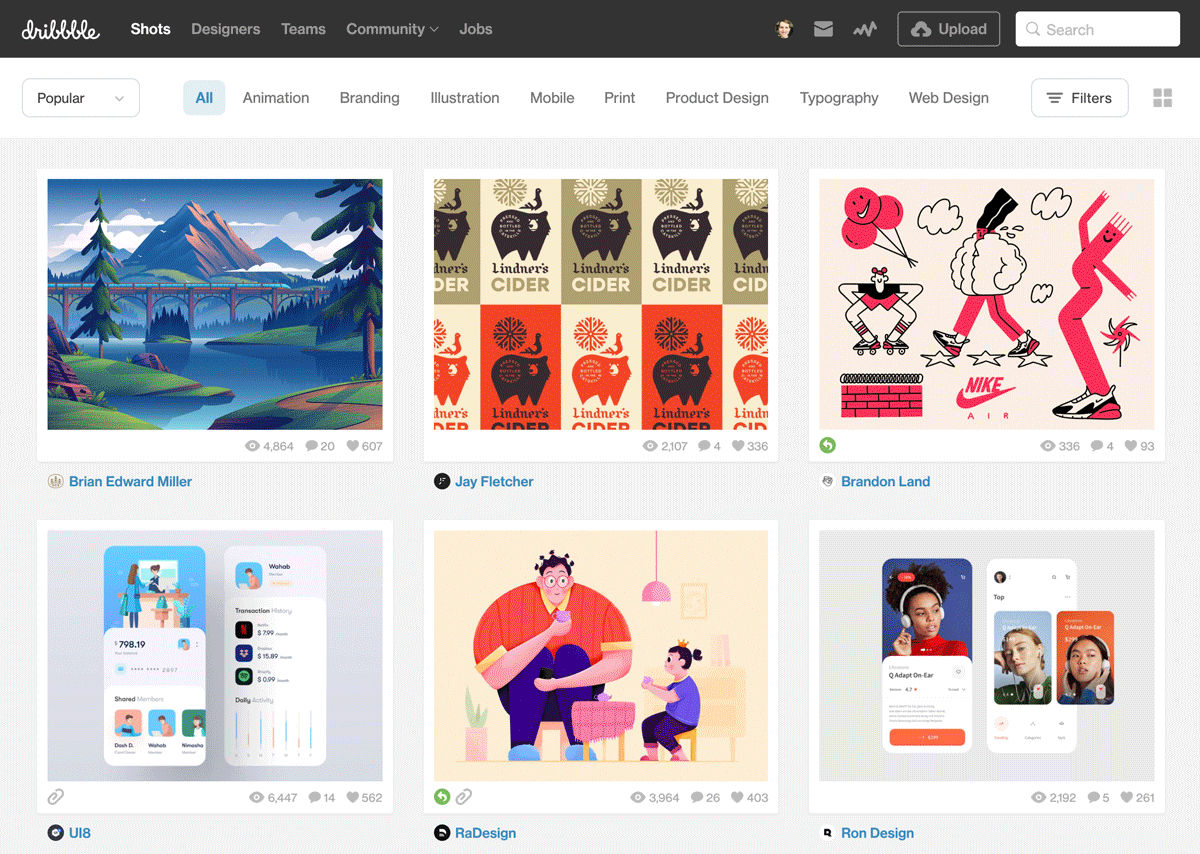
Dribbble is a well-known platform among designers, and it’s popular among designers who want to create a UX portfolio to promote their work. It works as a social network and a portfolio platform (not like traditional website builders) and you upload individual work as “shots,” which are small screenshots of your designs.
Audience engagement is high on Dribbble: You can get likes, comments, and even job offers directly from viewers. Each shot forms part of a bigger “project,” which lets you group related works together.
Dribbble also offers basic analytics. To help you understand what’s grabbing viewers’ attention, you can track your portfolio's views, likes, and reach. While it might be less customizable than other online portfolio website builders, Dribbble is nevertheless exceptionally user-friendly.
Main Features
Showcase design projects as "shots".
Connect with other designers and potential clients.
Receive comments and critiques on your work.
Participate in themed contests to gain exposure.
Example Websites
Pros
User-friendly interface for portfolio management.
High visibility in the design community.
Valuable critiques from skilled designers.
Cons
Focuses mainly on visual design.
A high number of designers can dilute visibility.
"Shots" may not showcase full project depth.
Some features require a paid subscription.
Rating
4.2/5
5. Wix
© Wix, Fair Use
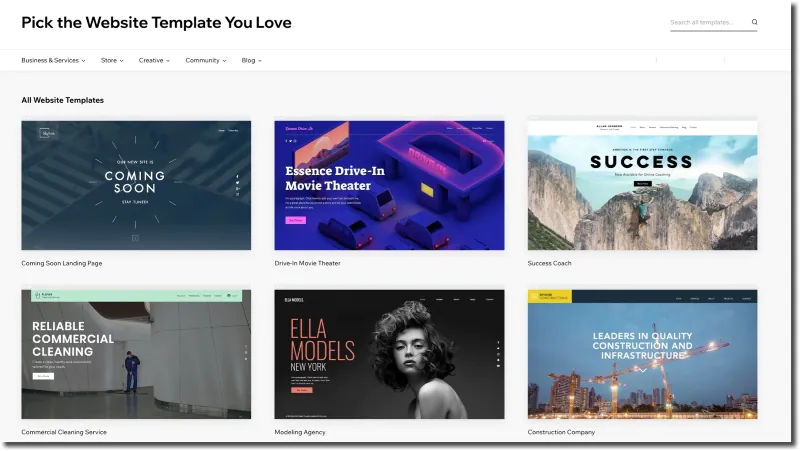
Wix is a popular pick for professionals of all types, including artists, photographers, and freelancers, who want to build portfolio websites. It has an intuitive drag-and-drop interface. There’s also a wide range of tailored design templates for portfolios on Wix.
Wix has features like SEO tools and social media integration, which are very helpful for marketing. For instance, SEO Wiz helps tailor your site so it’s more visible on search engines, and social media buttons permit quick sharing of your work.
Main Features
500 designer-made templates.
Built-in SEO tools.
Mobile-optimized.
100+ fonts available.
Advanced design features like animation, video backgrounds, and scroll effects.
Example Websites
Pros
Good customization options.
Massive template collection.
Intuitive drag-and-drop interface.
Cons
Tracking and analytics require a paid plan.
Your site isn’t transferrable.
Restriction on switching templates once the site goes live.
Rating
4.2/5
6. Webflow
© Webflow, Fair Use
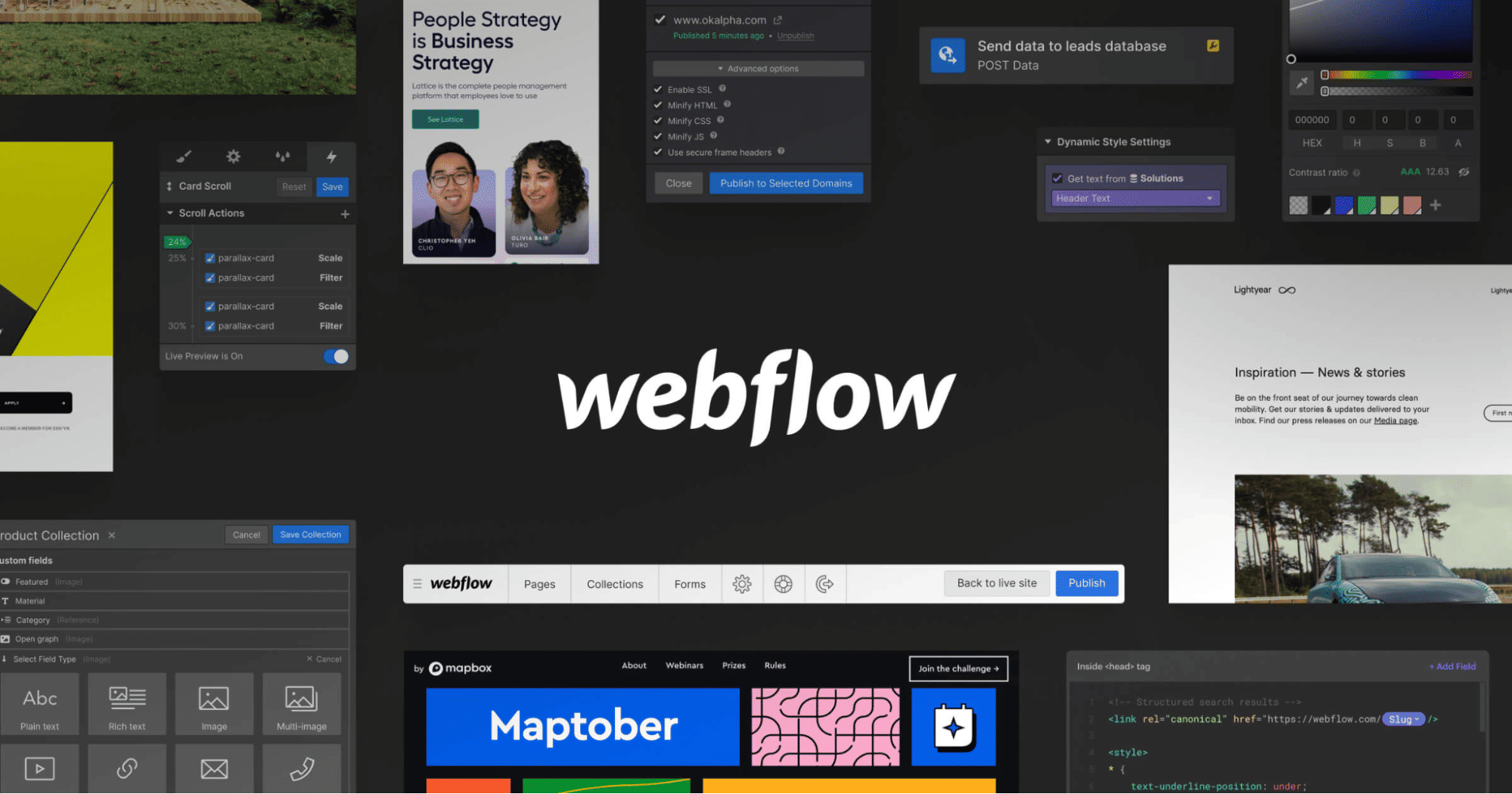
Webflow is a web design tool where visual design is combined with coding power. It offers a strong, no-code platform for you to create custom websites, and its high degree of customization, responsive design, and seamless animations mean it’s an excellent portfolio choice for UX designers.
Webflow has built-in CMS and hosting, and it’s a one-stop shop for designers who want a tailored portfolio that stands out. What's more, its range of professional templates and design interactions help make your portfolio an experience that can grab the viewer.
Main Features
Customizable templates and elements.
Real-time visual builder.
Powerful CMS for dynamic content.
Export the site’s HTML, CSS, and Javascript (using paid plans).
Easy integration with other services such as email marketing platforms, social media platforms, and more.
Example Websites
Pros
Live prototyping.
No plugins required.
Collaboration options.
Quicker development time.
Cons
Lack of code customizations.
No mobile app to edit content.
Extensive pricing plans.
Rating
4.4/5
7. UXfolio
© Otilia Pandelea, Fair Use
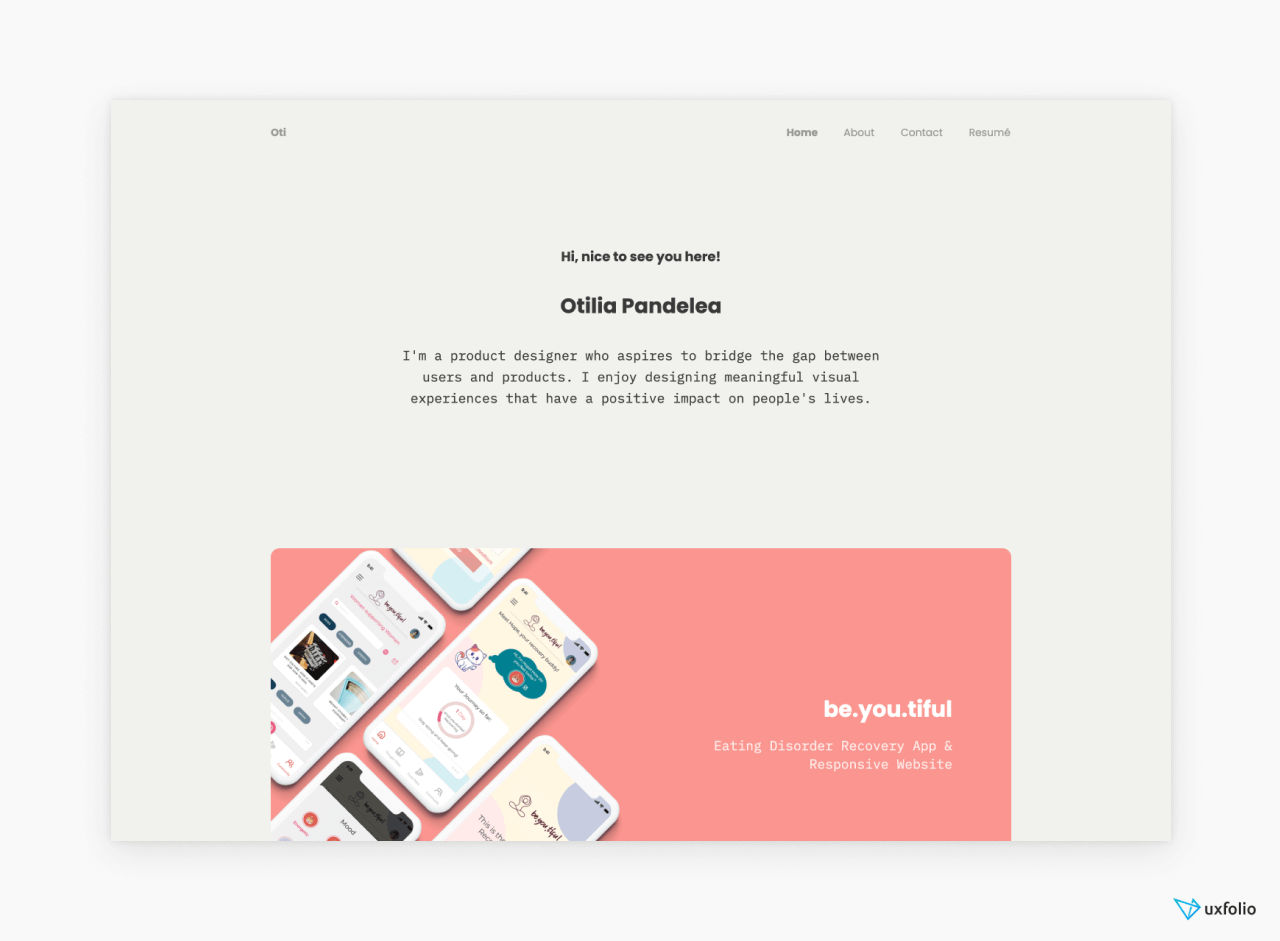
UXfolio is a portfolio-creation specialist choice for UX/UI designers, and its tailored features like case study templates are a welcome resource.
Uxfolio zeroes in on UX professionals’ needs. Unlike general website builders, it provides an environment to showcase not just the end product, but the UX research, problem-solving, and journey as well.
Main Features
Customizable pre-made templates.
Custom case-study layouts.
Built-in device mockups.
Copywriting prompts and tips.
Interactive prototype embedding.
Example Websites
Pros
Strong emphasis on creating impressive UX case studies.
Easy to use.
Community review for better insights.
Cons
Limited customization options compared to other portfolio builders.
Relatively simple designs.
Rating
4.3/5
8. Notion
© Notion, Fair Use
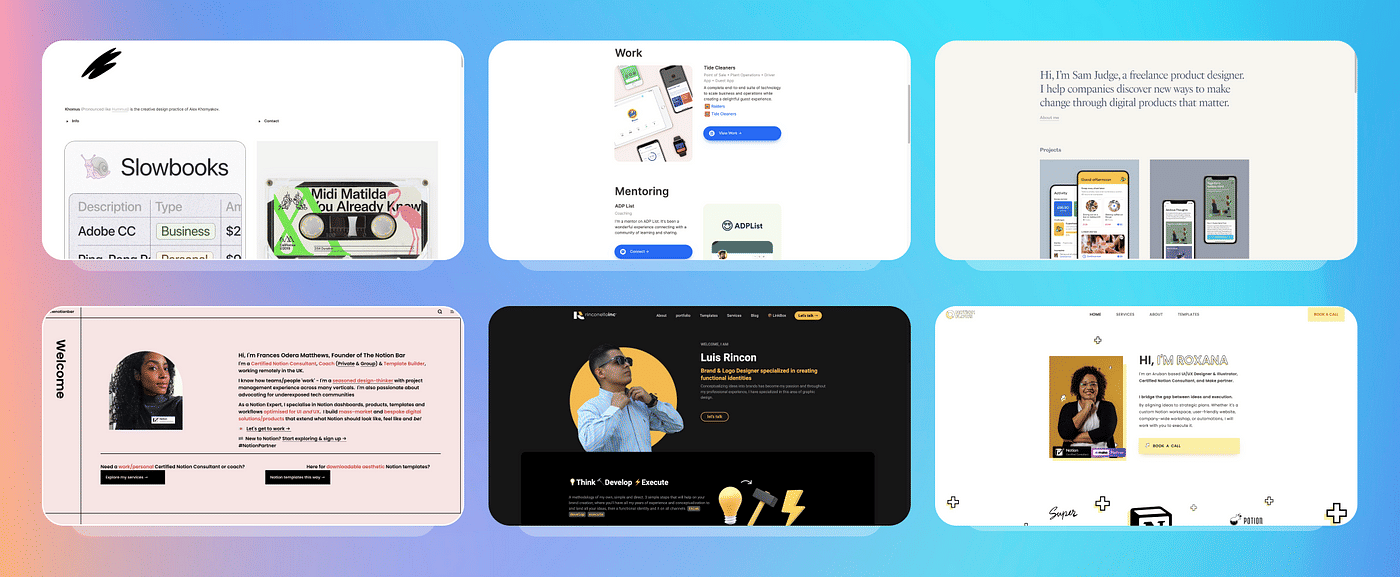
Notion is a versatile productivity tool, but it's flexibility can be adapted for creating UX portfolios, too. It has a simplified and structured environment where you can create and showcase your work. Its unique feature is how it uses “blocks” for various types of content, ranging from text and images, to videos you embed.
Super is a specialized tool that takes Notion's flexible content management capabilities and turns them into fully functional websites, including portfolios. Unlike Notion alone, Super provides enhanced design customization that allows you to apply custom domains, fonts, and analytics as you need and desire.
Main Features
Nested pages for structure.
Blocks for varied content.
Collaboration in real-time.
Customizable workspace.
Multi-platform access.
Example Websites
Pros
Suits various use cases beyond portfolios.
Intuitive drag-and-drop interface.
Accessible on different devices.
Cons
Fewer design options.
Less optimized for search engines.
Privacy concerns for portfolios.
Rating
4.7/5
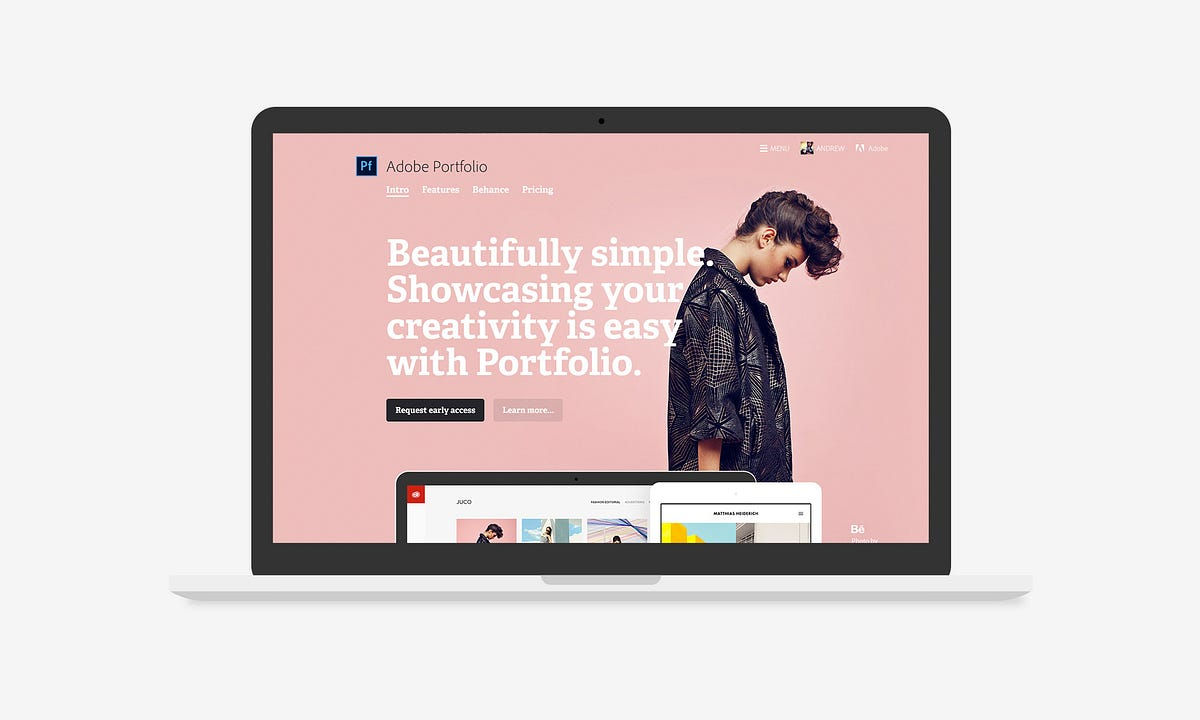
9. Adobe Portfolio
© Adobe Portfolio, Fair Use
Adobe Portfolio is a specialized website builder in the Adobe Creative Cloud suite, and it’s ideal for designers as it offers a range of themes to build multi-page or single-page portfolios. What’s more, its seamless integration with Behance makes sharing work effortless for designers.
The builder includes essential features (like custom domain connectivity, responsive image grids, and password-protected content) and familiarity with Adobe tools gives you an easy navigation experience.
Main Features
Customizable themes.
Responsive image grids.
Behance integration.
Adobe Fonts access.
Password protection.
Example Websites
Pros
No extra cost with Creative Cloud.
Basic features for professional portfolio.
Lots of templates.
Cons
Requires Creative Cloud subscription.
Less user-friendly than competitors.
Preview mode needed to view the site.
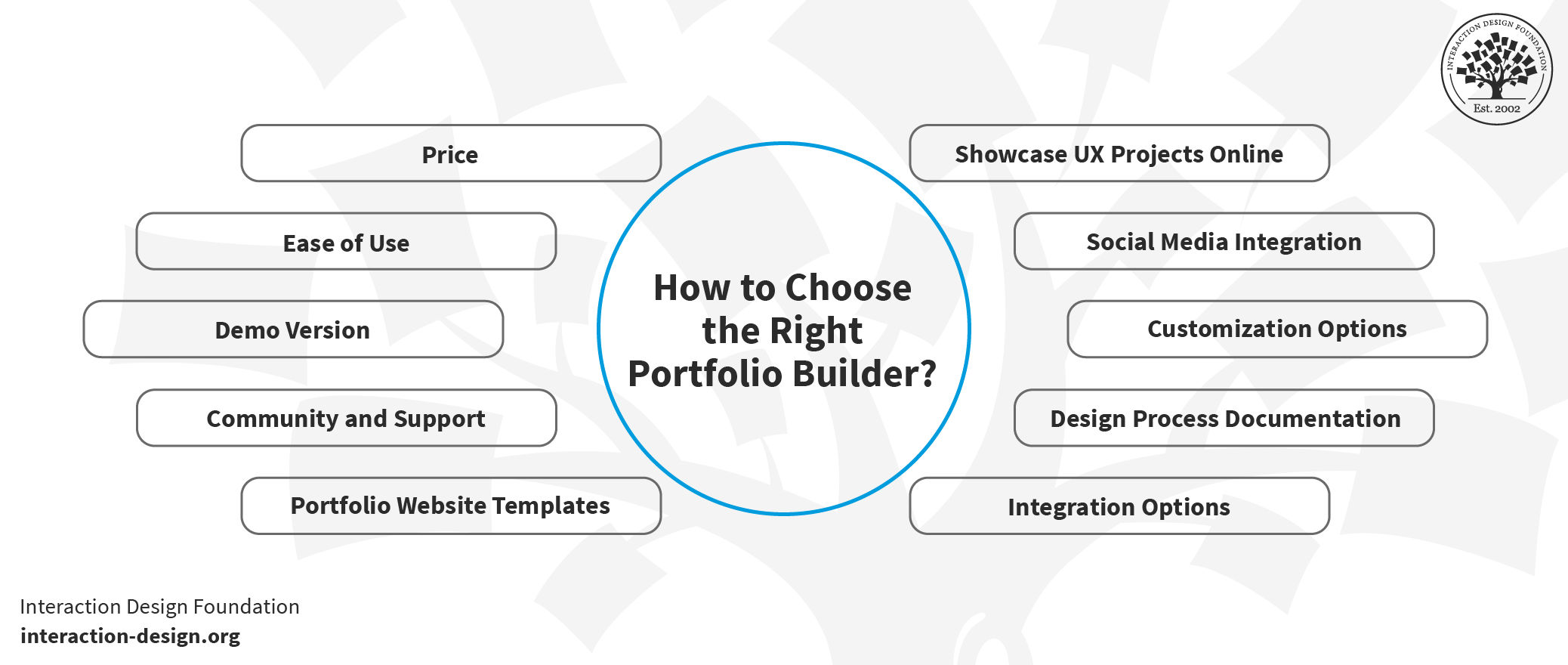
How to Choose the Right Portfolio Builder
© Interaction Design Foundation, CC BY-SA 4.0
Your UX portfolio is one of the most important designs you'll ever create, so it’s nothing short of critical to pick the right portfolio builder. As we’ve seen, the choices are plenty, and each has its own set of features to help make it a strong contender. Here are key factors to consider when choosing a website builder for an online UX portfolio:
1. Price
Some online UX portfolio website builders offer free plans, but they have limited features. On the other hand, paid services like Uxfolio provide more customization options. So, it’s best to plan your budget and compare offerings.
2. Ease of Use
A user-friendly UX portfolio builder is essential, and you don’t want anything getting in the way, much like you’d maximize ease of use for your own users and prove it through your portfolio. So, options like drag-and-drop functionality can make a world of difference.
3. Community and Support
A strong community can offer UX portfolio examples, tips, and general guidance. So, do check out those forums and reviews to gauge what level of community support each UX portfolio website builder has.
4. Demo Version
Most of the best UX portfolio builders provide demo versions, and it’s best to use these to test customizable, responsive portfolio websites and more. One reason is that the demo can give you insights into what you can and can't do.
5. Portfolio Website Templates
Most builders offer UI design portfolio templates, and these are handy tools that can be a great starting point for creating an impressive UX portfolio. However, make sure that they’re customizable to fit your unique style.
6. Showcase UX Projects Online
The platform you pick should have the essential elements you must showcase in your UX portfolio. So, look for features like image galleries, case studies, and text blocks that'll let your work shine.
7. Social Media Integration
Social media links are pretty much a must in the digital age. That’s why it’s so vital to make sure the builder allows easy integration so you can give your online presence a powerfully palpable boost.
8. Customization Options
The more you can do to customize things, the better, especially since your UX portfolio needs to mirror the unique you as a designer and those ultra-special qualities you can bring to the table for potential employers or clients. So, look for customizable UX portfolio website resources that let you change things like colors, fonts, and layouts.
9. Responsive Portfolio Websites
In a mobile-first age, responsive portfolio websites are non-negotiable. So, your portfolio should look good on all devices and screen sizes. This also shows an employer or client that you know how to design for all screens.
Code Your Own Online UX Portfolio
Nothing beats coding your website from scratch. But what if you really want to code your own portfolio but have no coding skills and haven’t a clue how to write HTML, CSS, and JavaScript code? Well, if you love a challenge, you can consider the following online platforms that teach you how to code. You could and treat these online coding courses as part of your long-term plan, where you’ll eventually be able to code your own personal website.
Khan Academy (Free)
Khan Academy is a nonprofit online platform that provides free courses for everyone, and we love Khan Academy’s mission. We recommend that you take Khan Academy’s courses on HTML, CSS, and JavaScript, particularly, and they’ll teach you the basics you need to create your own website.
We found Khan Academy’s interface particularly suited to learning coding. For instance, their “video” lessons contain a two-panel layout, where on the left panel you’ll see the live code being updated as the instructor speaks. On the right, you’ll see a live preview of the website so you can see exactly what your website will look like.
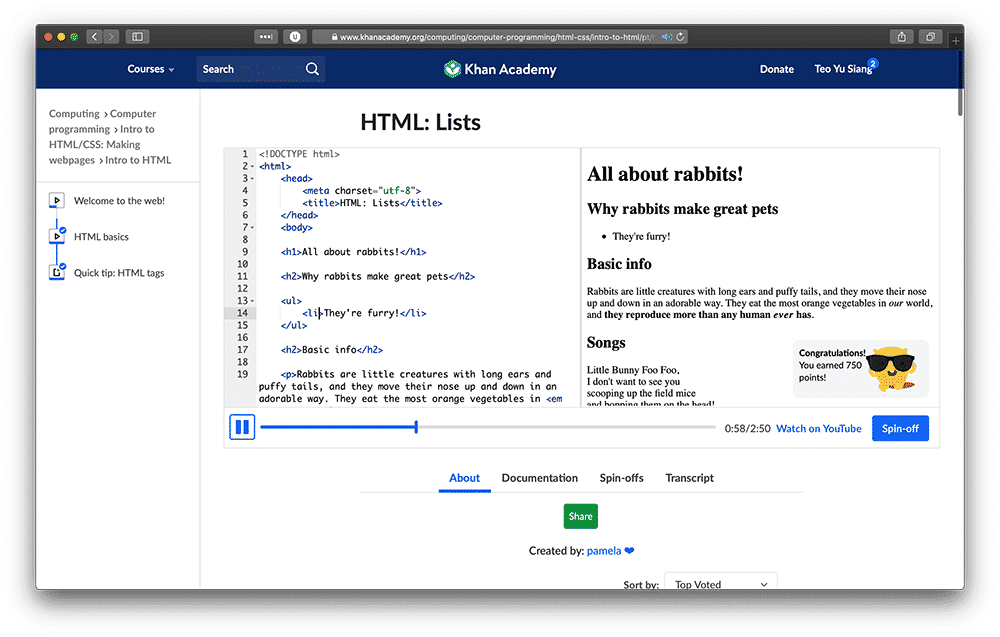
In Khan Academy’s lessons, you can see a code preview and a live website preview showing at the same time.
© Khan Academy, Fair Use
Codecademy (Free and Paid)
Codecademy is another great online learning platform. It focuses entirely on coding. You can take courses on Codecademy for free, or you can upgrade to a paid “pro” plan to unlock career paths and code-oriented portfolio-building exercises, among other features.
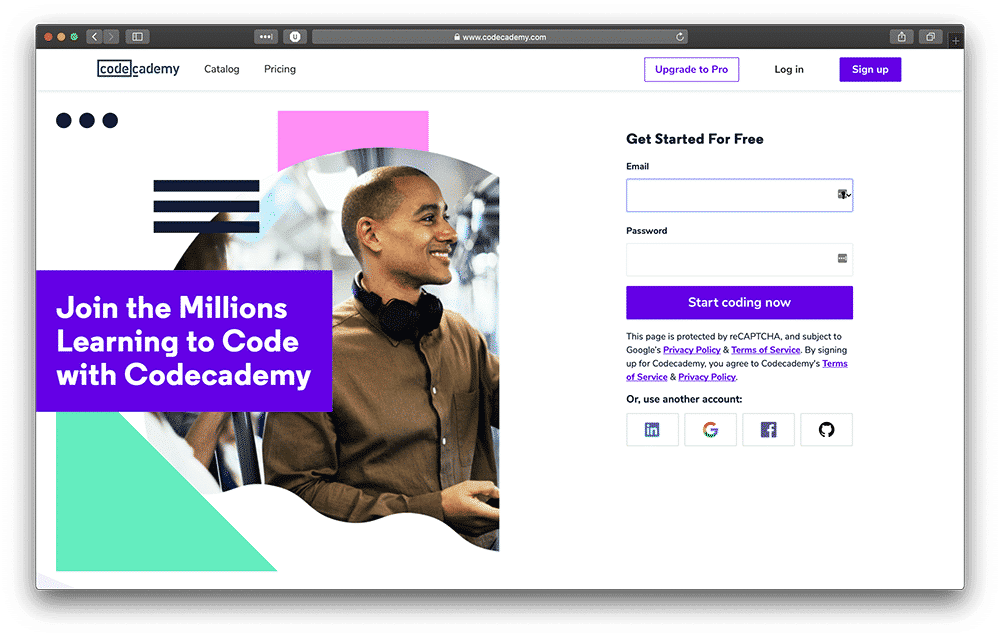
Codecademy specializes in code courses, and you can start learning for free.
© Codecademy. Fair Use
We suggest Codecademy’s introduction courses to HTML, CSS, and JavaScript to get a firm grip on the foundational knowledge you’ll need to build your online UX portfolio.
As a matter of fact, if you want to master the basics of HTML, CSS, and JavaScript, we highly recommend that you take courses from both Khan Academy and Codecademy: That’s because both platforms teach with different methodologies and from different perspectives. So, if you take courses from both platforms, you’ll have a holistic picture of the basics of front-end development and be all the better equipped.
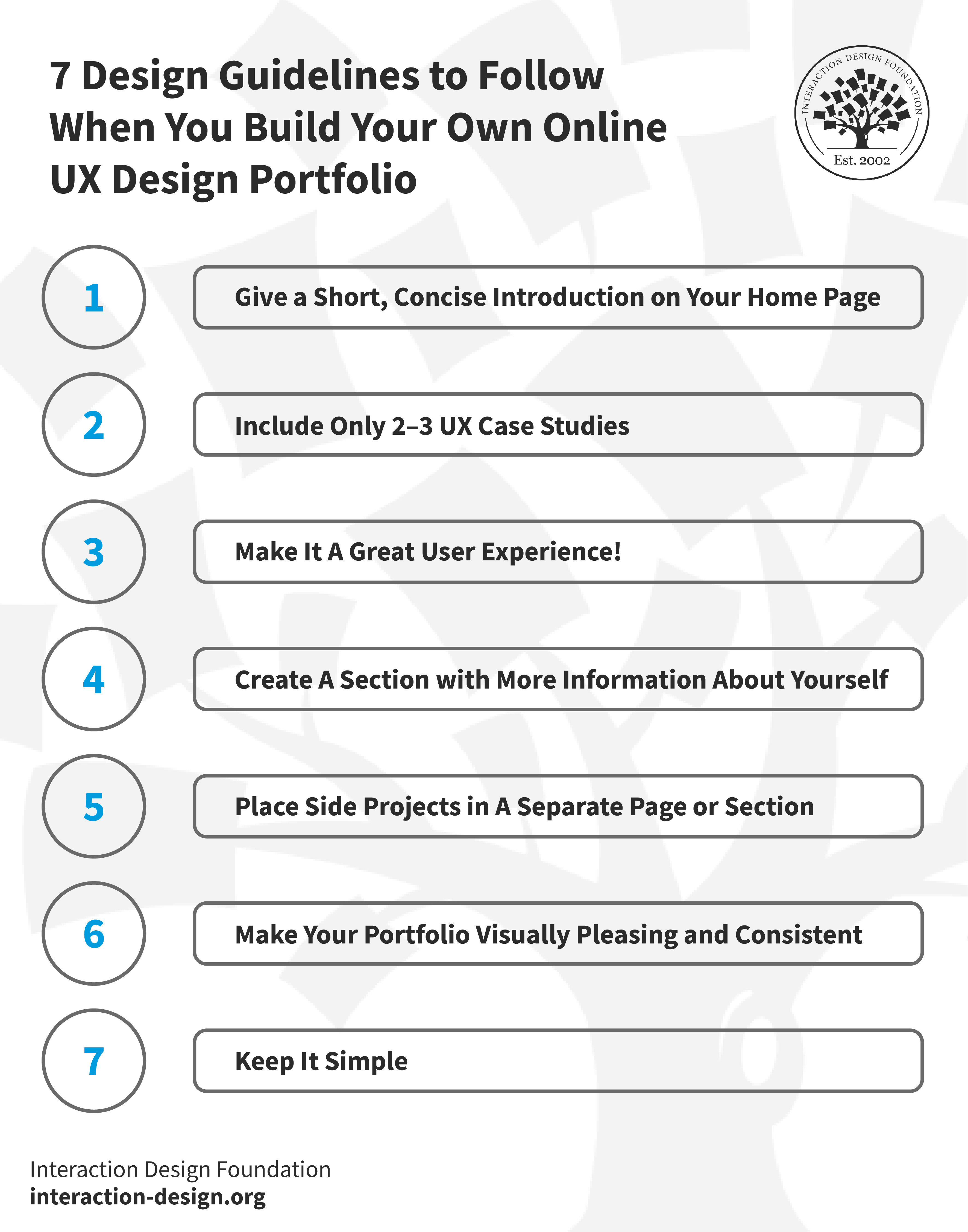
7 Design Guidelines to Follow When You Build Your Own Online UX Design Portfolio
© Interaction Design Foundation, CC BY-SA 4.0
1. Give a Short, Concise Introduction on Your Home Page
Give a concise introduction of yourself right at the top of your home page so potential recruiters will immediately get a clear idea of what they can expect from you. Remember, your portfolio is a design in itself and the home page is prime real estate: It's the very first impression you’ll make on those you want to work for.
Here, it’s important to include your name and current job position or the job role you aspire to, and, if it’s applicable, your current location. Keep it nice and short. Your introduction should be, at most, three sentences long, and be sure to write it conversationally, like how you'd speak in a friendly and professional setting, and reflect your personality.
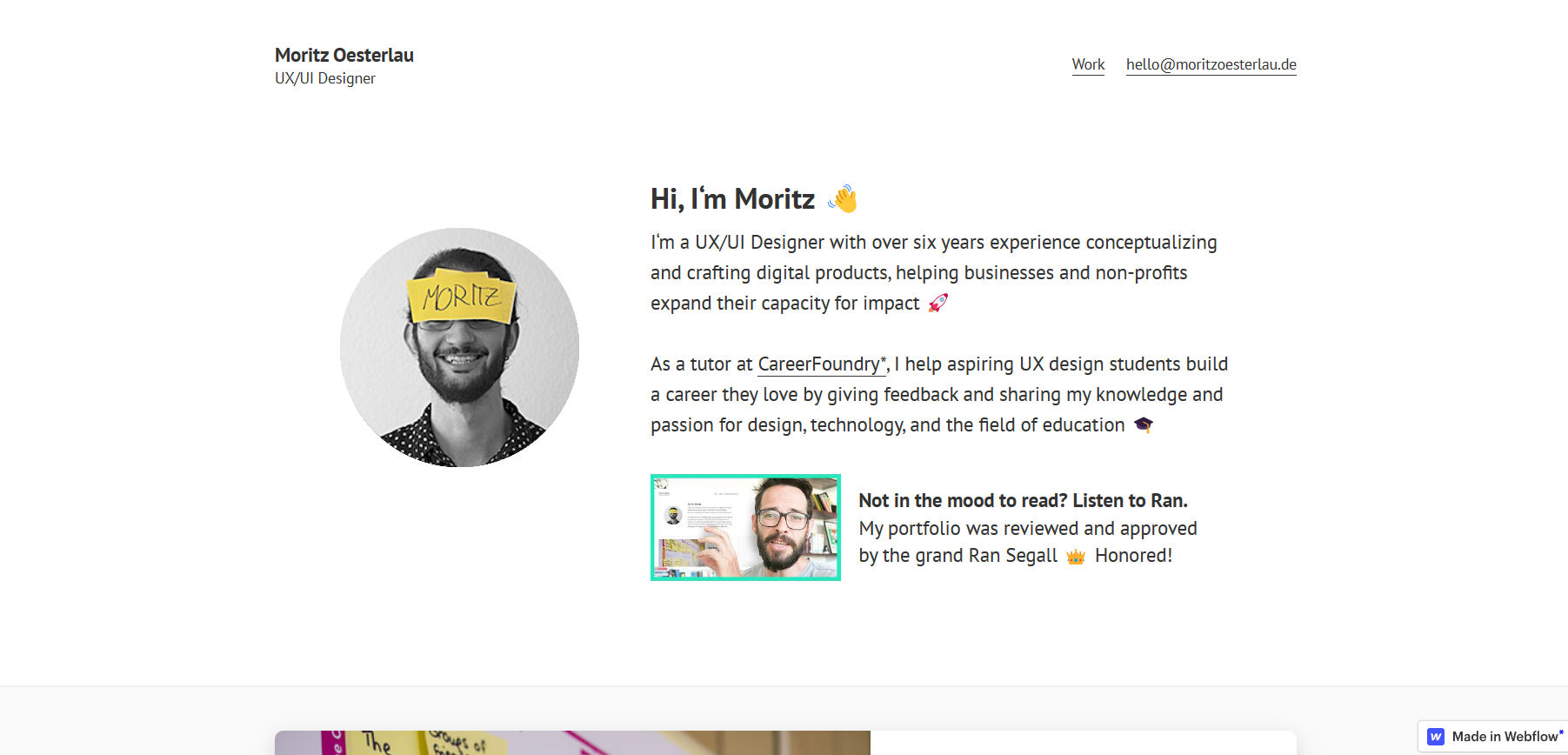
© Moritz Oesterlau Portfolio, Fair Use
When you arrive at the homepage of Moritz Oesterlau's portfolio, a delightful animation grabs your attention. In it, Moritz introduces himself, his name appears prominently, and a welcoming wave emoji accompanies it. This is proof of how Moritz effectively communicates his experience, areas of expertise, and how he brings value to potential clients or employers.
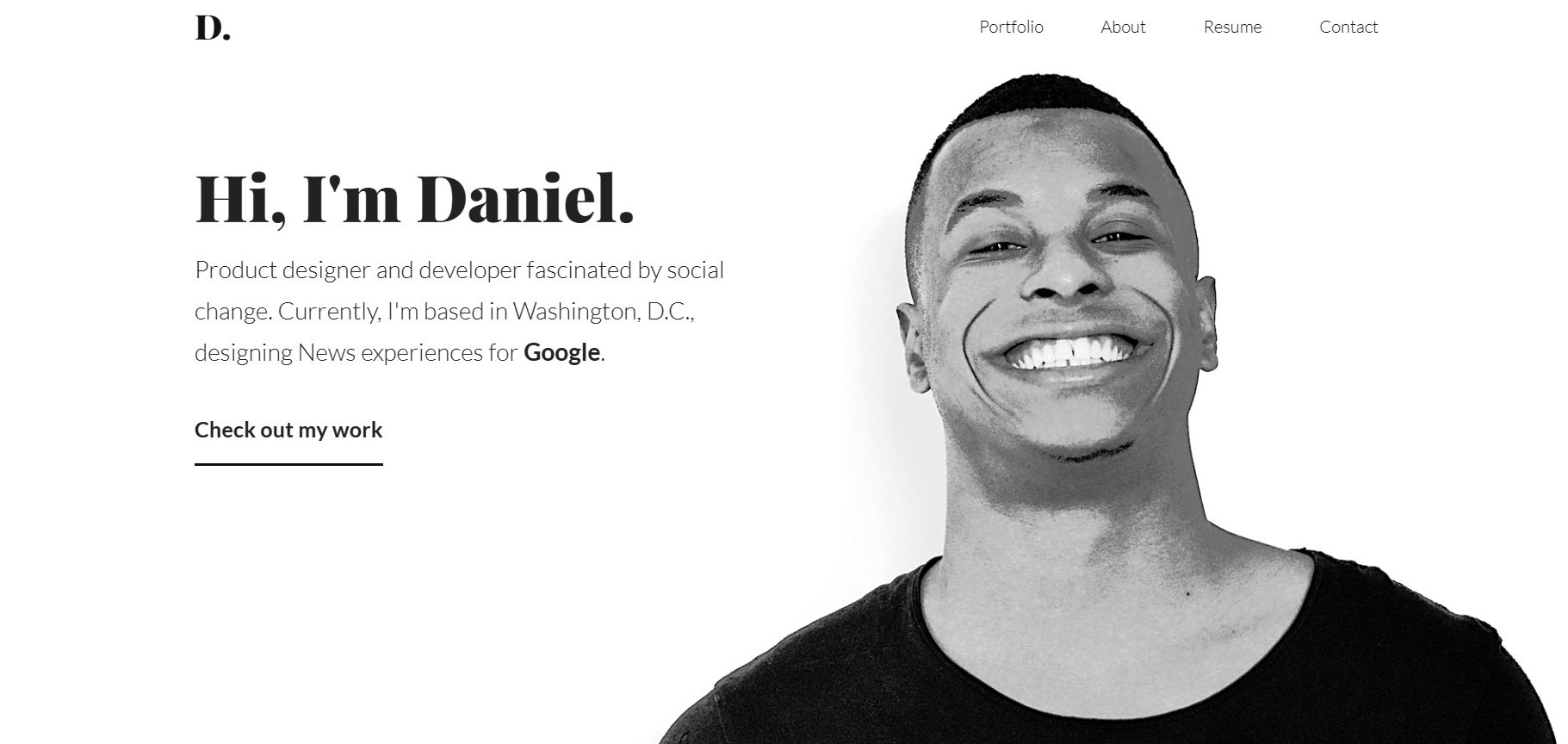
© Daniel Autry - Product Designer & Developer, Fair Use
Daniel Autry's portfolio hits the sweet spot between personable, with his photo featuring a broad smile that shows he’s approachable and professional. Right away, the bold "Hi, I'm Daniel." draws you in. He’s a product designer and developer who’s passionate about social change, and his concise bio reveals his current role at Google, blending purpose with prestige.
Notice how, in both Moritz’s and Daniel’s portfolios, they give the viewer the most important information first. You should do that, too, with your name and role being the most essential pieces of information that bring you right there to meet the potential client or employer. Hobbies and side projects are less important and should go below, and you might want to put your hobbies only on your “About” page rather than on the home page.
2. Include Only 2–3 UX Case Studies
Carefully select and showcase 2–3 of your best UX case studies. These should be the best of your “greatest hits.” Yes, we know how hard it is to resist the temptation to show your recruiters everything you’ve done, but believe us, you need to showcase case studies that are both exceptional and relevant to your UX role: The cream of the crop.
Take a cue from Victoria Kazakova's perfect UX portfolio, where she elegantly underscores quality over quantity by showcasing just three of her top-tier case studies, a nifty masterclass in the "less is more" mantra!
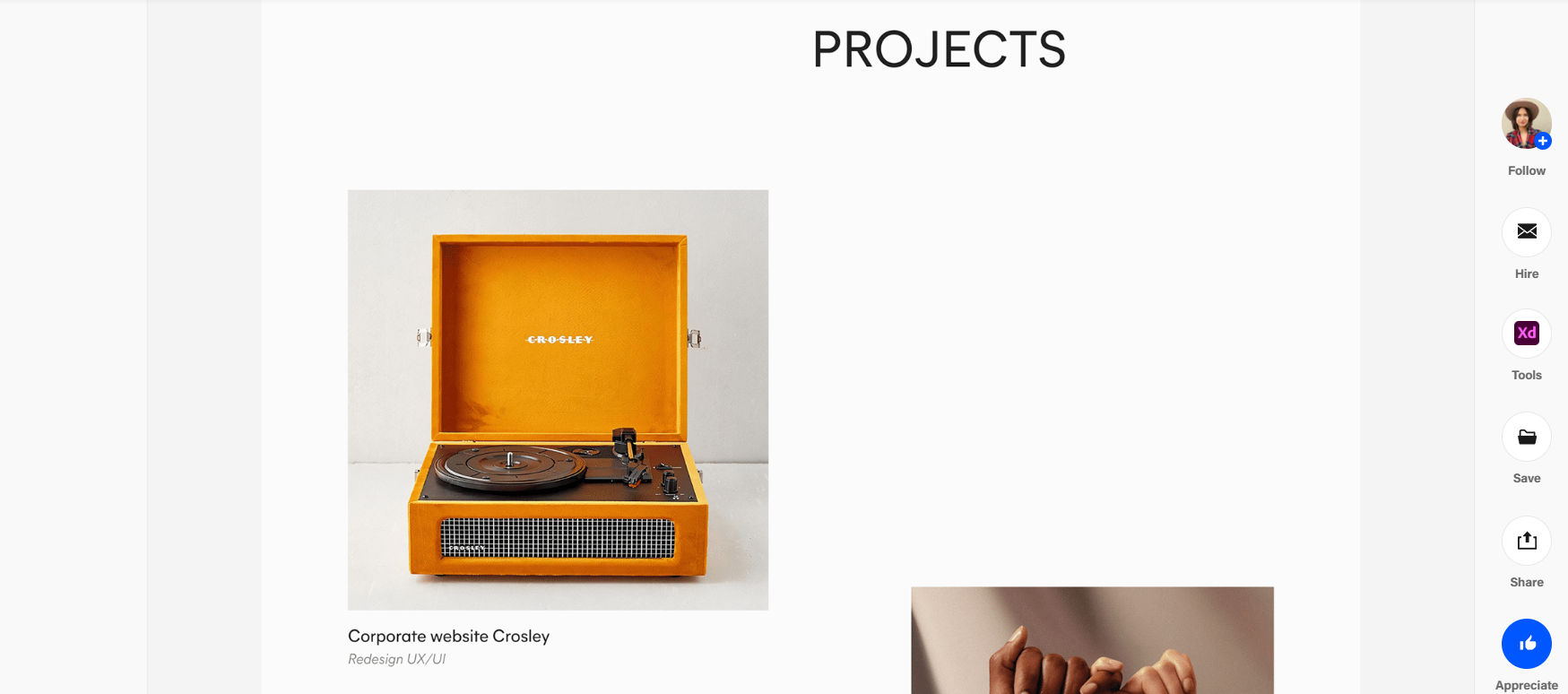
© Victoria Kazakova’s Portfolio, Fair Use
3. Make it a Great User Experience!
Recruiters are going to judge your online portfolio as a product design in itself, and any UX problems will negatively affect you and could turn them off right away.
Here are some essential usability guidelines you need to follow:
Make sure navigation is nice and simple and easy.
Design proper affordances into your links and interactive elements. For instance, underline the links and use a different color.
Pay attention to readability and color contrast, and make sure your fonts are big enough and check your color contrast using WebAIM’s color contrast checker.
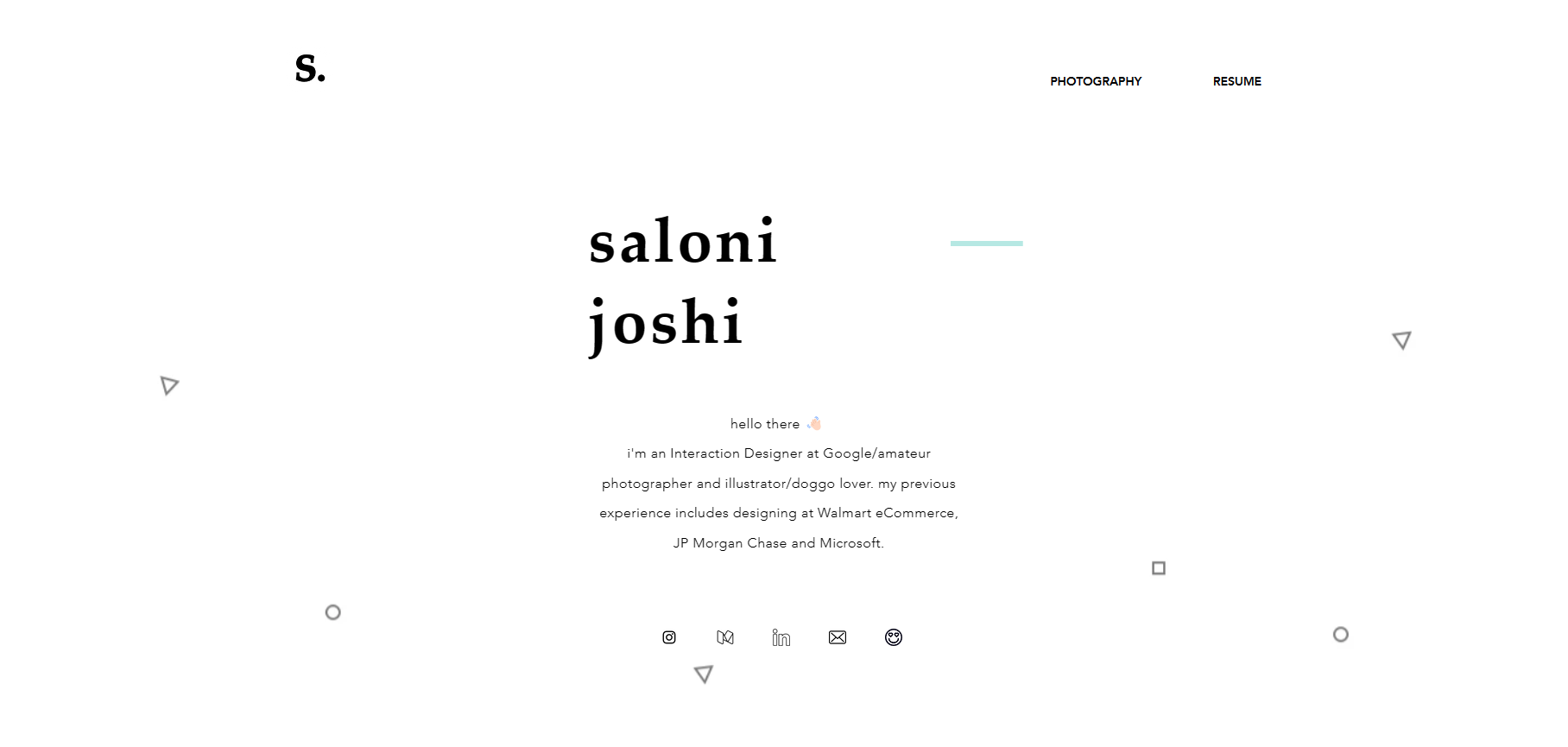
© Home | Saloni Joshi, Fair Use
Saloni Joshi's portfolio brilliantly showcases how good usability should underpin a UX design, and her website truly thrives on minimalism. Note the absence of unnecessary distractions and how it focuses squarely on her work and accomplishments.
4. Create an About Page or Section with More Information About Yourself
Since it’s so important for you to keep the introduction on your home page short, we suggest that you make a separate “About” page or section to show more information about yourself. In it, include:
Further details about yourself, such as your hobbies and interests.
Your work history and educational background.
Social media links to your professional profiles, such as LinkedIn, Medium, and Behance.
Make sure that you update your work history and education on your About page and other online accounts such as LinkedIn, Medium, and Behance. For example, whenever you complete a course with the Interaction Design Foundation (IxDF), you’ll always get an industry-recognized Course Certificate to prove your achievements. Include that along with the unique link you get for each course you’ve completed so that recruiters can verify the authenticity of your certificate.
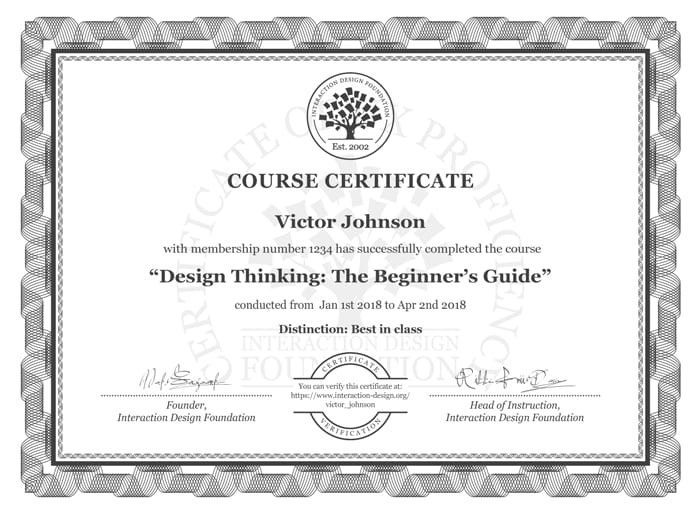
Include the Interaction Design Foundation Course Certificate(s) on your About page and your LinkedIn and Dribbble pages to show your achievements.
© Interaction Design Foundation, CC BY-SA 4.0
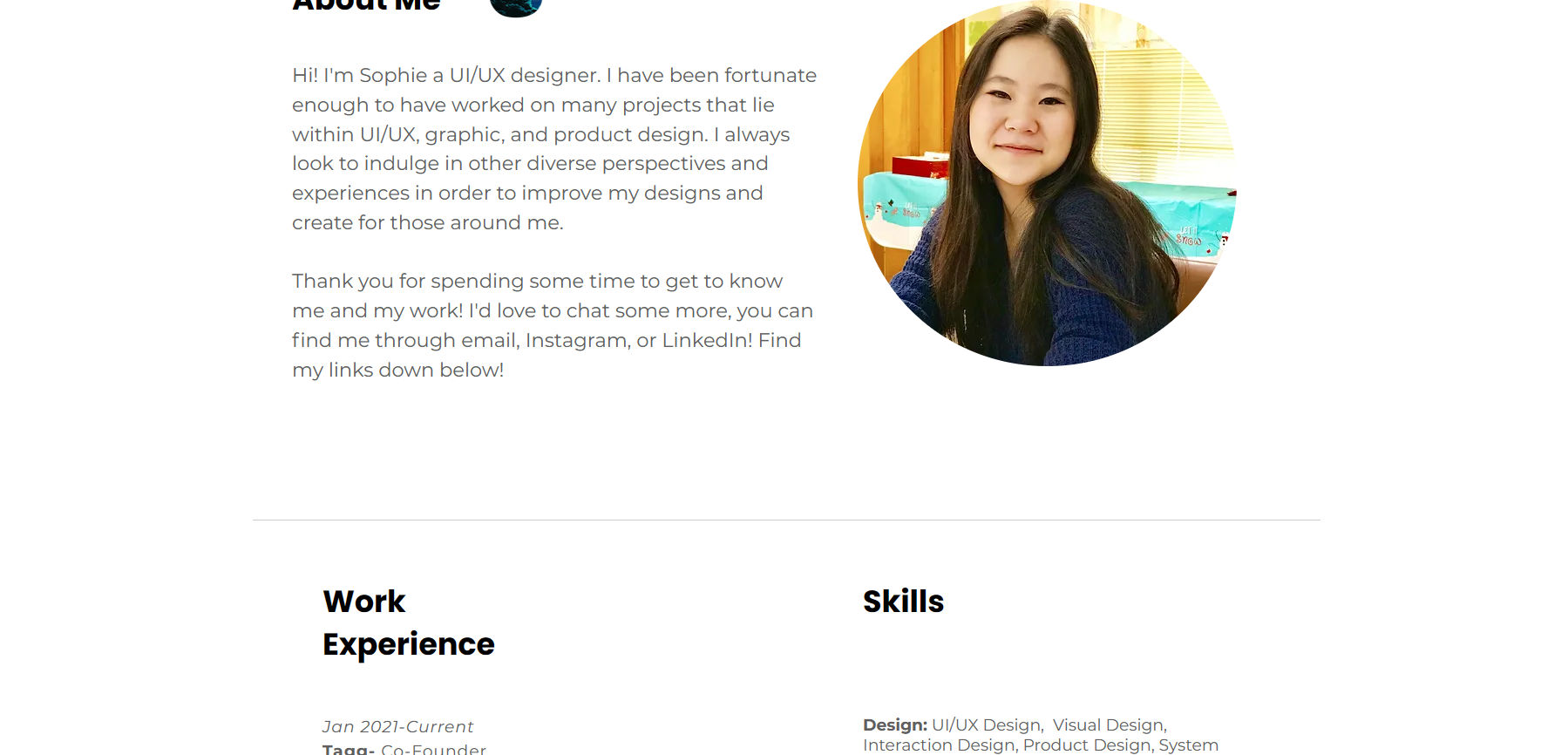
© About | Sophie Chen (sophiemchen.com), Fair Use
Sophie Chen's UX portfolio brilliantly highlights the essence of a comprehensive About page. Because she details her journey and seamlessly integrates her work history and skills, it offers a full-spectrum view of her expertise.
5. Place Side Projects in A Separate Page or Section
Put your side projects in your online UX portfolio as they help showcase your passions and give recruiters a better sense of your personality. And it’s wise, as in very wise, to create a separate section or page for all your side projects.
For instance, Yu-Hsuan created a separate section for “side projects”, which he placed below his case studies. Here, he can showcase his passion for design while he puts the main spotlight on his case studies.
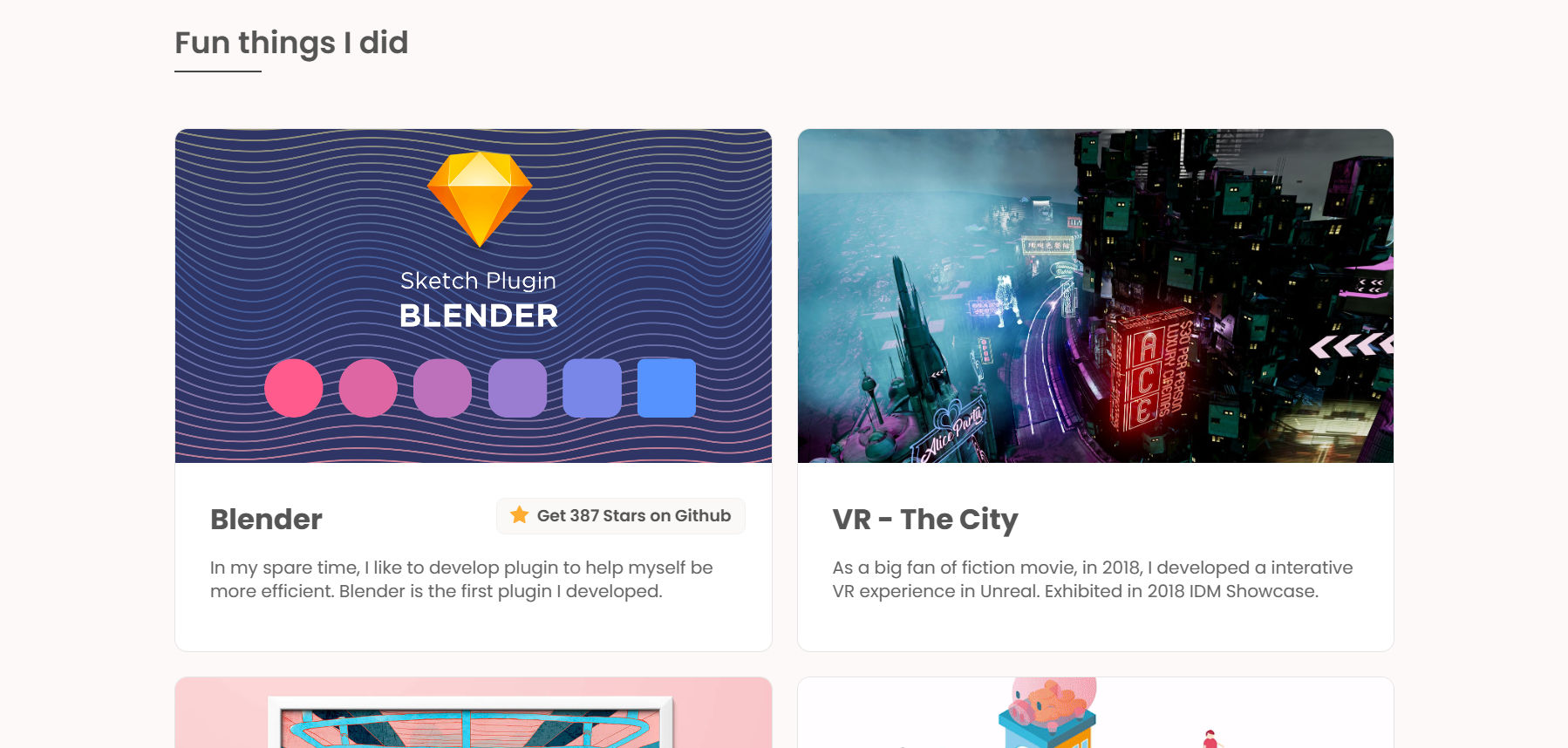
© Yu-Hsuan's Portfolio (yuhsuanlin.com), Fair Use
6. Make Your Portfolio Visually Pleasing and Consistent
Even if you don’t have a background in visual design, your online UX portfolio should look aesthetically pleasing and be visually consistent. As we mentioned before, recruiters will judge your online UX portfolio like any other designed product, so looks and functionality are ultra-important.
Thankfully, it’s easier than ever now to create a visually pleasing website, and if you’re not confident in your visual design skills, you can use a platform such as WordPress or Squarespace, which provides nicely designed templates.
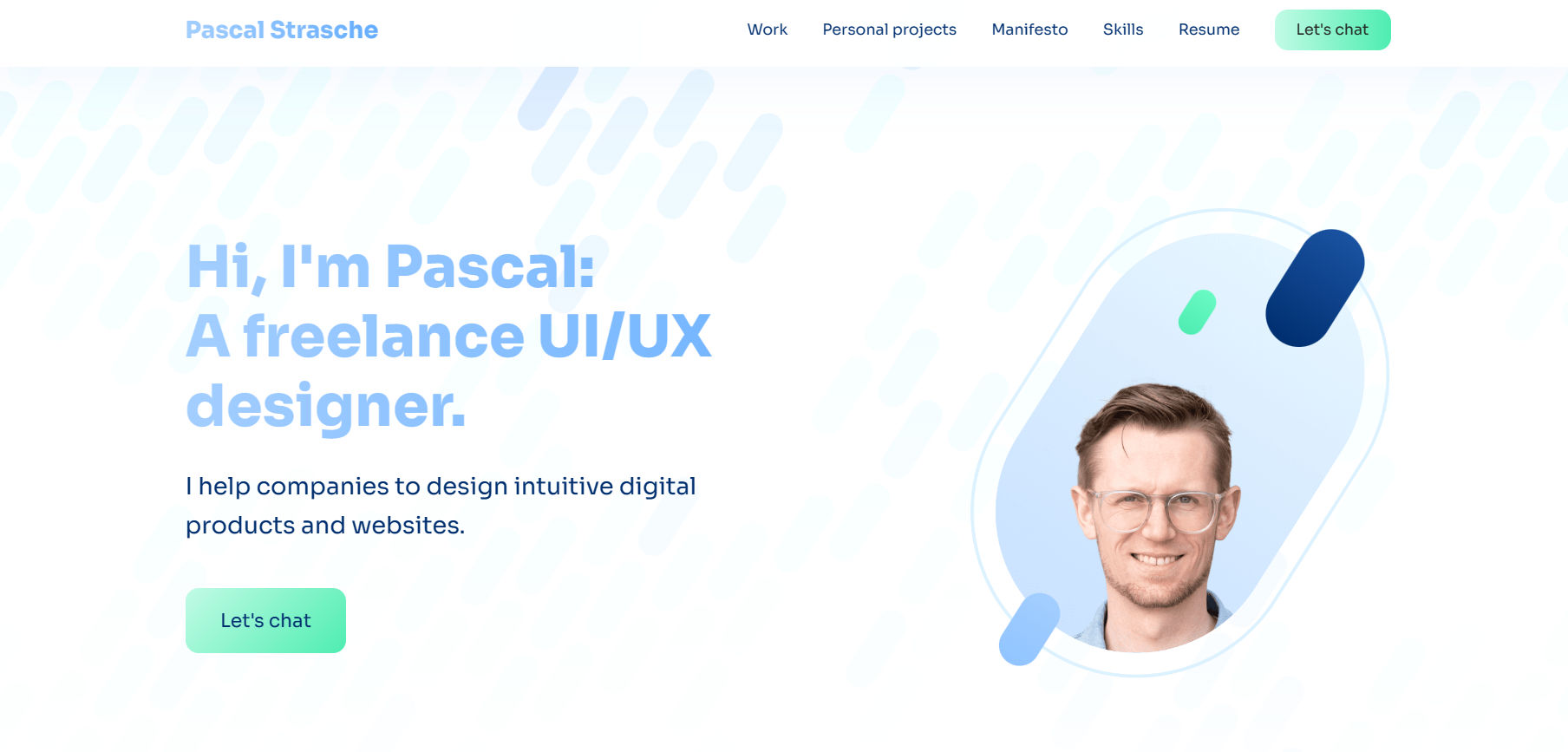
© Pascal Strasche – Freelance UI/UX Designer, Fair Use
Pascal Strasche's UX portfolio exemplifies visual harmony and consistency, and seamlessly weaving together a palette of well-balanced colors, it captivates the viewer. The cohesive design showcases his aesthetic acumen and demonstrates meticulous attention to detail, and so make it visually pleasing and effectively communicative.
7. Keep It Simple
Think about the essentials of your message, and don’t aim to make the most perfect or beautiful website, because your online UX portfolio will continually evolve and change. You’ll have to maintain and change the case studies you show regularly, your intro copy, etc.
Here’s another super-important bit of advice: You should aim to create and push out a good enough version of your online UX design portfolio rather than wait for months to perfect it. “Why?” you might ask, “Won’t that harm my chances in the job market if it’s not totally perfect?” Well, once you’ve published your online UX portfolio, you can spend more time improving it, and notice that we said “good enough,” which means good enough for the purpose. While you’re tweaking something that’s already good enough, you already have an important asset you can use to apply for jobs.
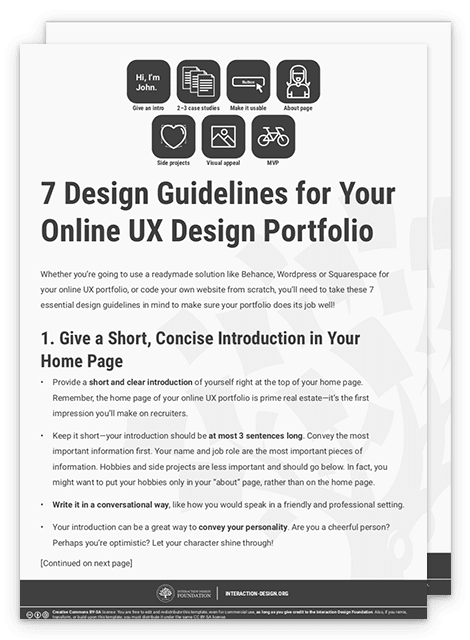
Download Our Template for 7 Design Guidelines to Follow in Your Online UX Portfolio
We’ve specially created a PDF template with a summary of the seven essential design guidelines we’ve mentioned above. Download yours now:
Use Our Sample UX Portfolio Site as a Reference
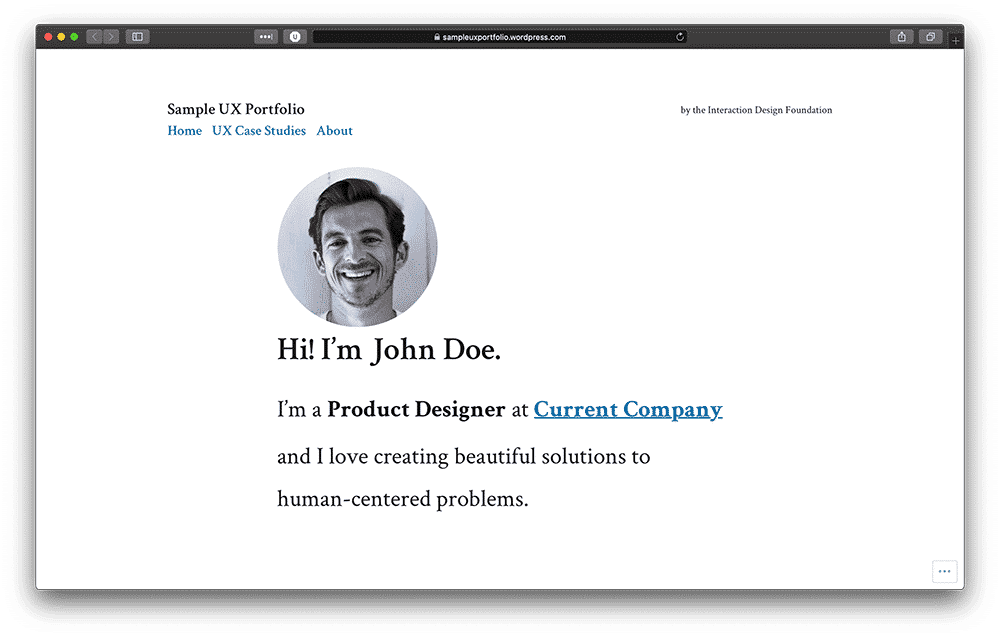
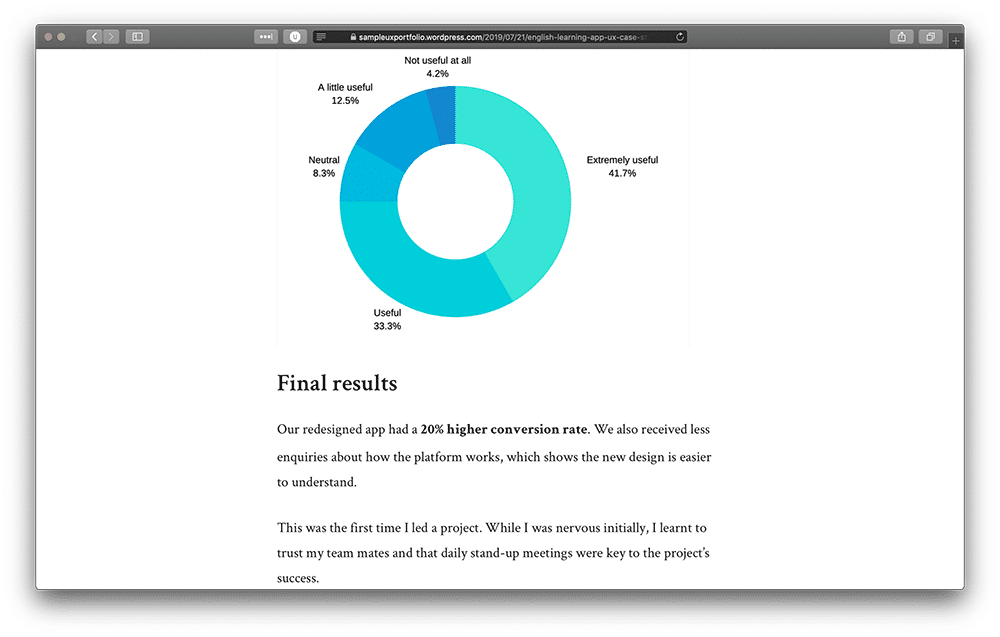
To further help you in your mission to create your online UX portfolio and represent yourself as a brand worth hiring, we’ve created a sample site you can reference and in our sample site, to show you an example of what your online UX portfolio should look like.
© Interaction Design Foundation, CC BY-SA 4.0
© Interaction Design Foundation, CC BY-SA 4.0
Yes, we’ve actually created an entire online UX design portfolio so you can refer to it when you make yours!
Head over to our sample UX portfolio site now: https://sampleuxportfolio.wordpress.com
The Take Away
When you want to create your online UX design portfolio and get ready for hire, you’ve got two options: use a ready-made solution such as Behance or WordPress or code your website. If you’re unfamiliar with coding, though, Behance, WordPress, and Squarespace are excellent solutions, and—in particular—WordPress and Squarespace allow you to have your website and provide many templates for you to choose from. Alternatively, nothing beats coding your website if you’re interested in coding or know how to code.
When you create your online UX portfolio, keep these seven essential design guidelines in mind:
Give a short, concise introduction on your home page.
Include only 2–3 UX case studies.
Make it a great user experience!
Create an “About” page or section with more information about you.
Place side projects in a separate page or section.
Make your portfolio visually pleasing and consistent; its a design solution in and of itself.
Keep it simple and straightforward.
References and Where to Learn More
Check out our sample UX portfolio site built with WordPress.
To check the color contrast of your online portfolio’s text and elements, you can use WebAIM’s color contrast checker.
Check out Netguru’s UX case study on Behance for a taste of how yours could look.